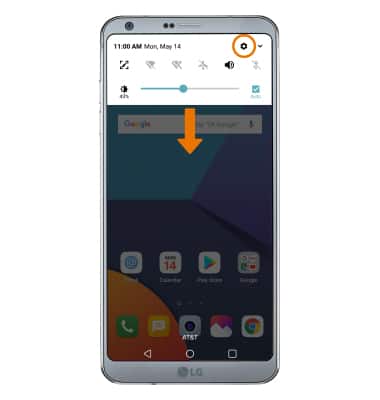
- TURN ON/OFF COMFORT VIEW: Swipe down from the Notification bar, then select the Settings icon.
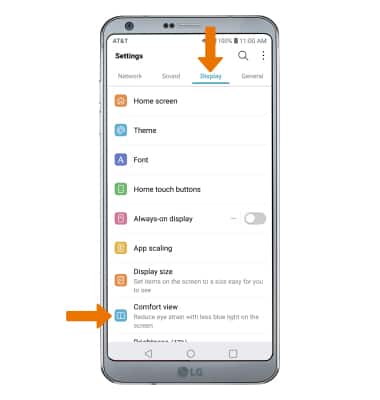
- Select the Display tab, then select Comfort view.
- Select the Use Comfort view switch.
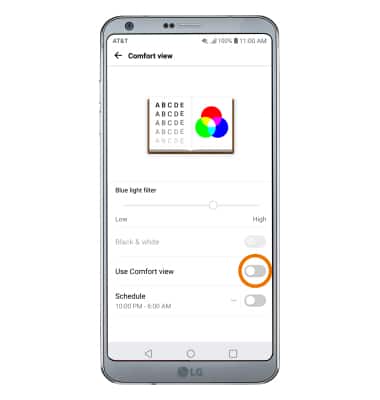
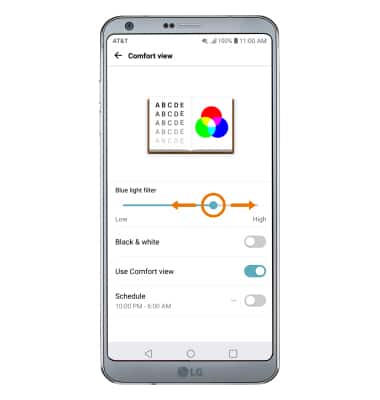
- Select and drag the Blue light filter to the left or the right to manually adjust the level of blue light.
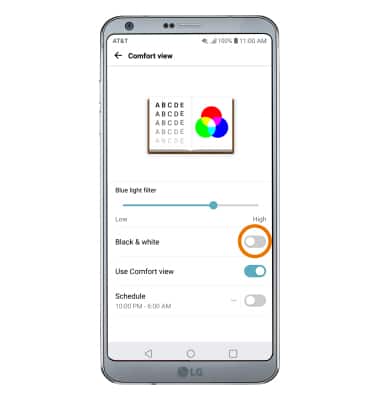
- Select the Black & white switch to view your device's screen in black & white.
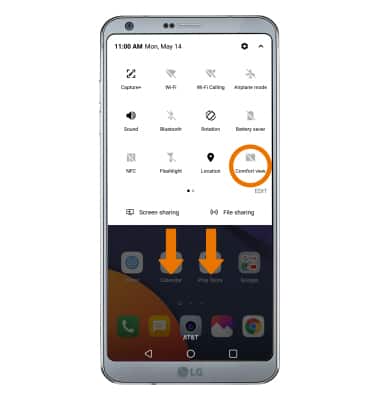
- QUICKLY TURN ON/OFF COMFORT VIEW: Swipe down from the Notification bar with two fingers, then select Comfort view.
Comfort View
LG G6 (H871 / H871S)
Comfort View
Enable and adjust comfort view in order to reduce eyestrain from blue light on the screen.
INSTRUCTIONS & INFO