- From the home screen, select the Camera app.
Note: When in "Easy" mode, only a limited amount of camera settings and modes will be available.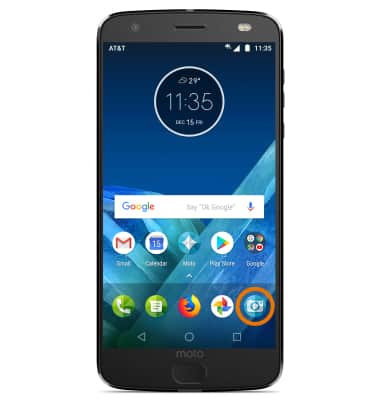
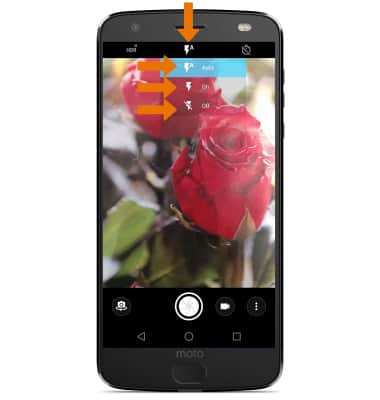
- TURN ON/OFF FLASH: Select the Flash icon, then select the desired option.
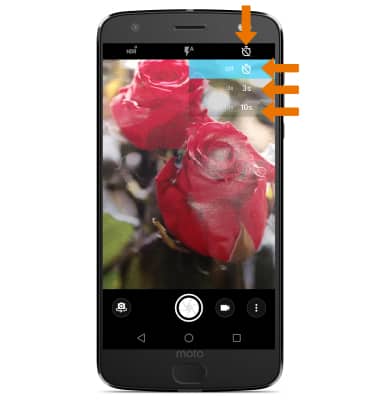
- SET A TIMER: Select the TIMER icon, then select the desired option.
- CHANGE PICTURE SIZE: From the Camera, swipe right then select Photo size.
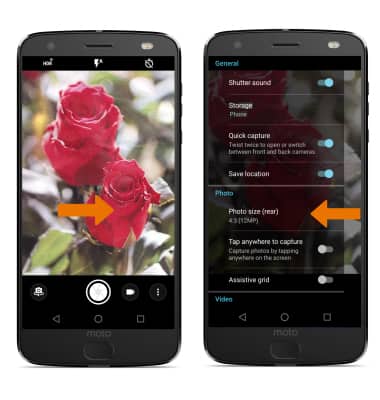
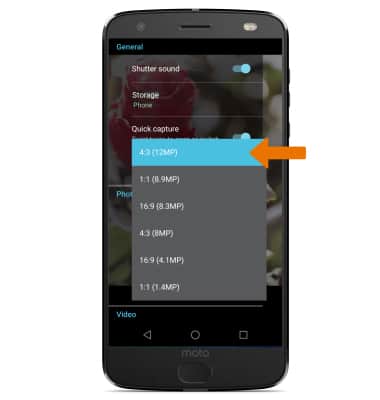
- Select the desired photo size.
- SET STORAGE LOCATION: From Camera settings, select Storage then select the desired storage location.
Note: You will need to have a mircoSD card installed in order to change the storage location to SD card.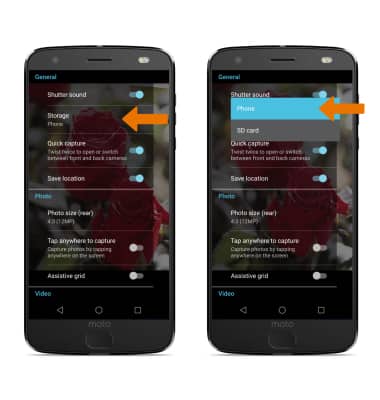
Camera & Video Settings
Motorola Moto Z2 Force Edition (XT1789)
Camera & Video Settings
Manage camera and video settings including flash, timer, voice control, recording mode, storage location, and more.
INSTRUCTIONS & INFO