- ACCESS CONTACTS: From the home screen, swipe up to access the Apps tray then select the Contacts app.
Note: When in Easy mode, no 'Groups' tab will display and you can't send business cards, merge accounts, or link contacts.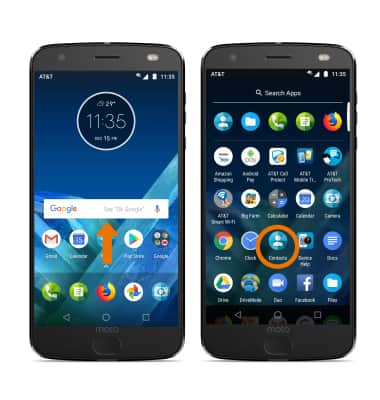
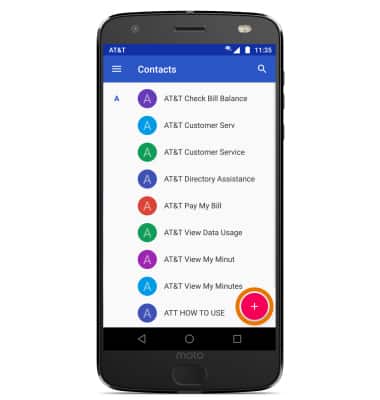
- CREATE A CONTACT: Select the Add icon.
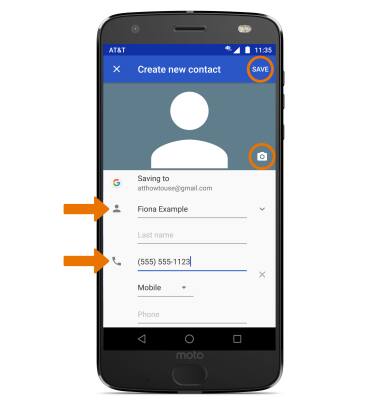
- Enter the desired contact information in the corresponding fields. To add a picture, select the Picture icon and navigate to the desired image. Select SAVE when finished.
- EDIT A CONTACT: From the desired contact, select the Edit icon then edit the contact as desired. Select SAVE when finished.
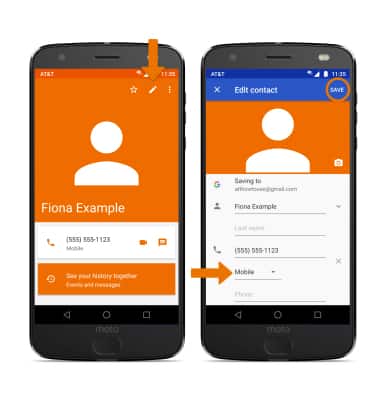
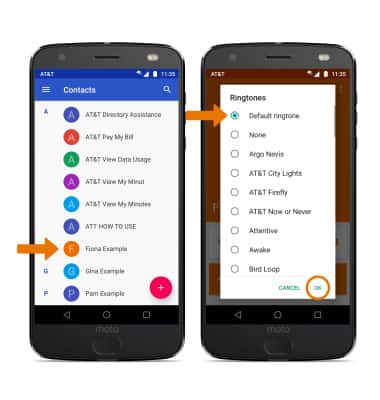
- ADD A RINGTONE: From the Contacts screen, select the desired contact > Edit icon > Menu icon > Set ringtone > Select desired ringtone > OK.
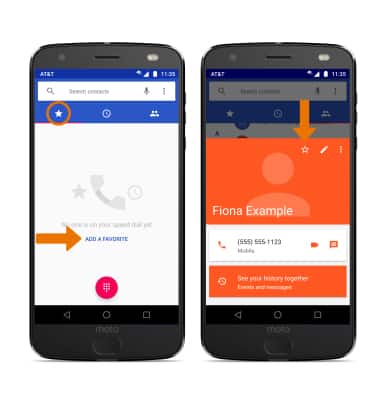
- ADD CONTACTS TO SPEED DIAL: From the Phone app, select the Favorites icon > ADD A FAVORITE > select the desired contact > Favorites icon.
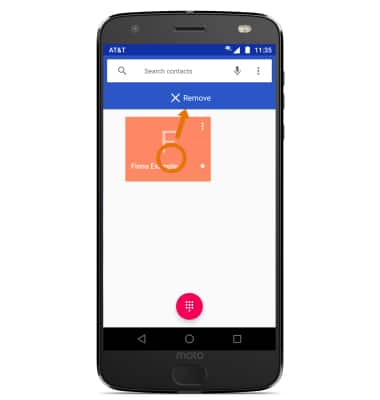
- REMOVE CONTACTS FROM SPEED DIAL: Select and hold the desired contact, then drag it to Remove at the top of the screen.
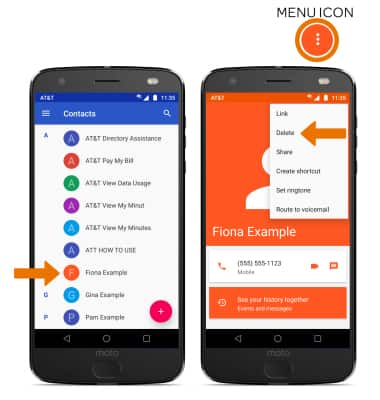
- DELETE A CONTACT: From the Contacts list, select the desired contact. Select the Menu icon, then select Delete.
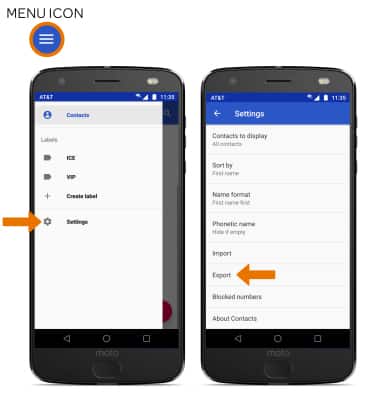
- BACKUP CONTACTS: From the Contacts list, select the Menu icon > Settings > Export > follow the prompts.
Contacts
Motorola Moto Z2 Force Edition (XT1789)
Contacts
Add, view, delete, and customize contacts by adding a picture or ringtone.
INSTRUCTIONS & INFO