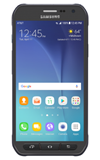
- ACCESS ACTIVITY ZONE: Press the Active button.
Note: Alternatively, from the home screen select the Apps tray > Samsung folder > Activity Zone app.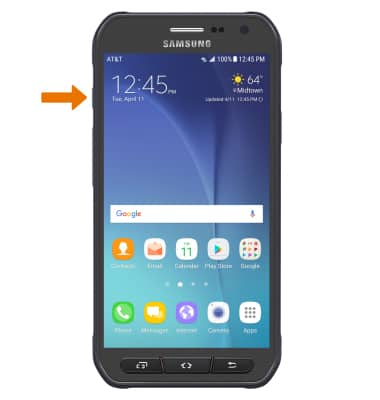
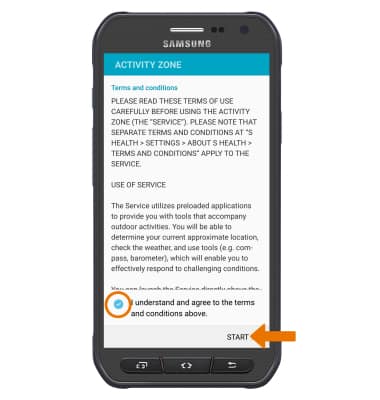
- Agree to the terms and conditions, then select START. The Activity Zone will be displayed.
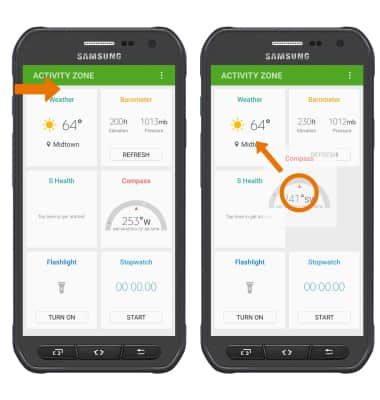
- REARRANGE TILES: Select and drag the desired tile to the desired location.
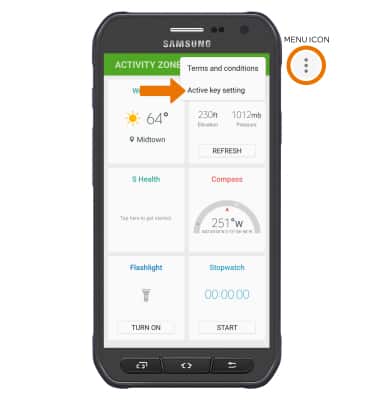
- CUSTOMIZE THE ACTIVE KEY: Select the Menu icon. Select Active key setting.
- Select Short press to select what app opens when you quickly press the Active key. Select the desired app.
Note: From here you can set the Active key to access Emergency Zone.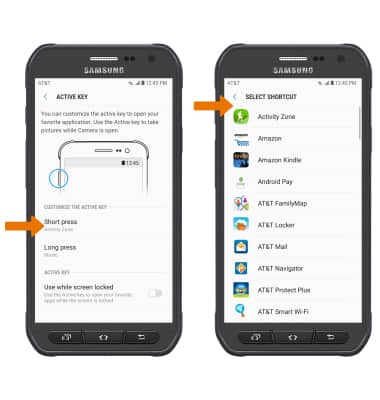
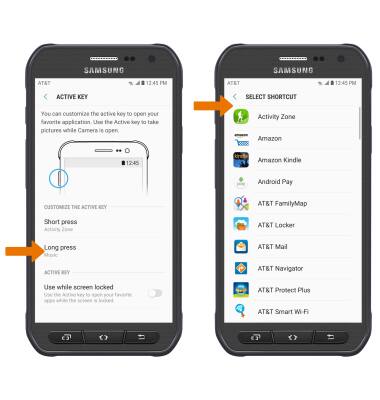
- Select Long press to select what app opens when you press and hold the Active key. Select the desired app.
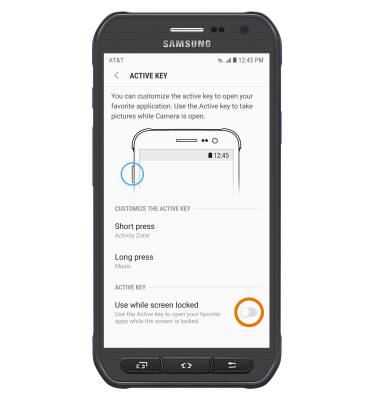
- USE ACTIVE KEY WHILE SCREEN LOCKED: From the Active key settings screen, select the Use while screen locked switch.
Activity Zone
Samsung Galaxy S6 active (G890A)
Activity Zone
Access all Activity Zone applications including Compass, Stopwatch, S Health, Flashlight, and more. Customize the Active key.
Activity Zone
Access Activity Zone applications and customize the Active key.
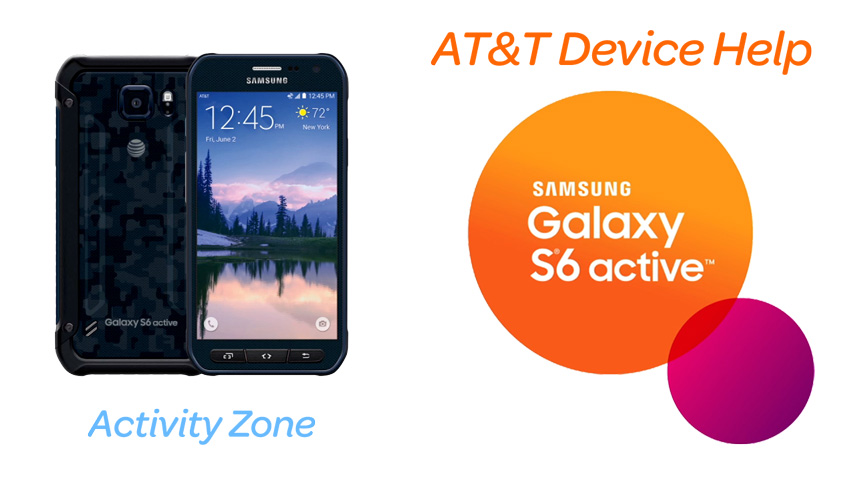
Activity Zone
1:03
INSTRUCTIONS & INFO