- ADJUST DATE & TIME: Swipe down from the Notification bar then select the Settings icon. Select General management.
Note: The device will automatically attempt to set the date and time from the network. This tutorial demonstrates how to manually set the date and time on your device.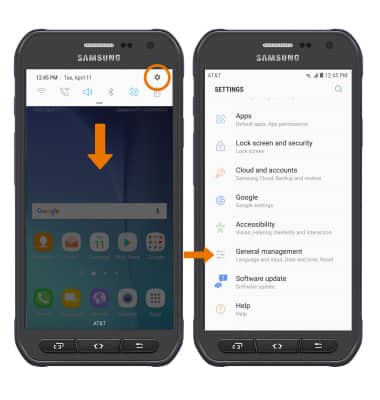
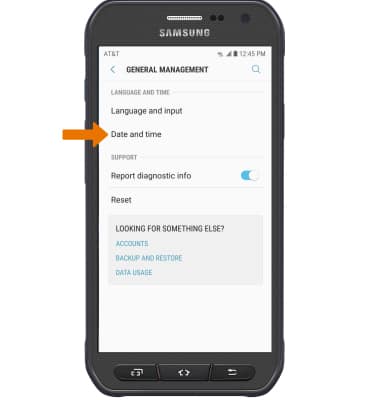
- Select Date and time.
- Select the Automatic date and time switch to manually set date & time.
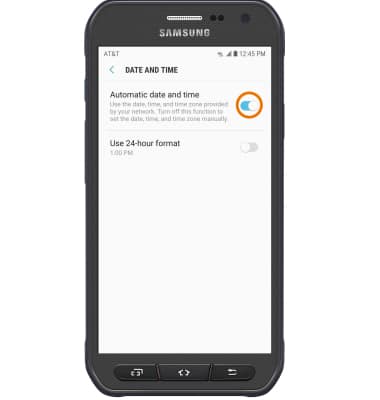
- Adjust settings as desired.
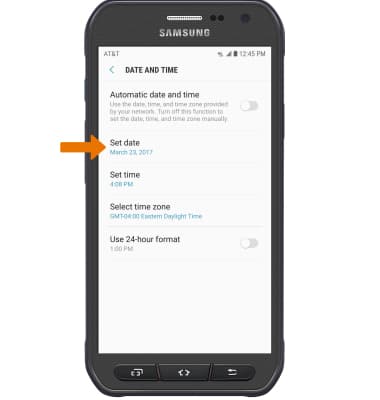
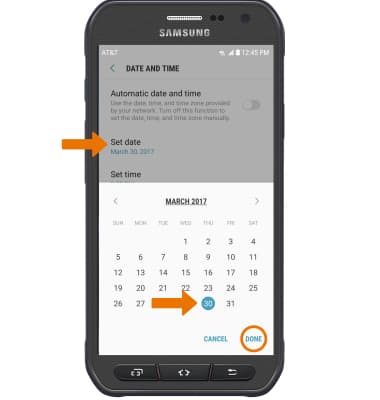
- CHANGE THE DATE: Select Set date. Select the desired date, then select DONE.
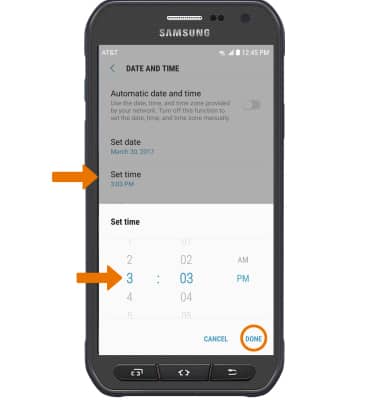
- CHANGE THE TIME: Select Set time. Select the desired time, then select DONE.
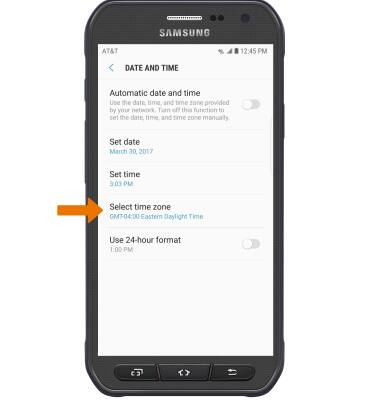
- MANUALLY SET THE TIME ZONE: Select Select time zone, then select the desired time zone.
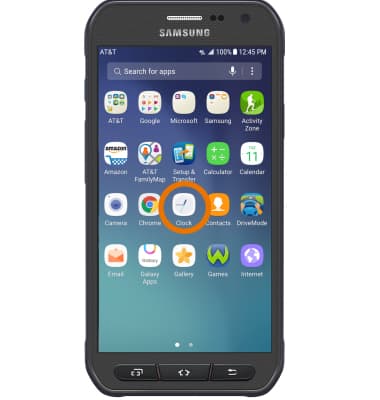
- SET AN ALARM: Select the Clock icon from the Apps tray.
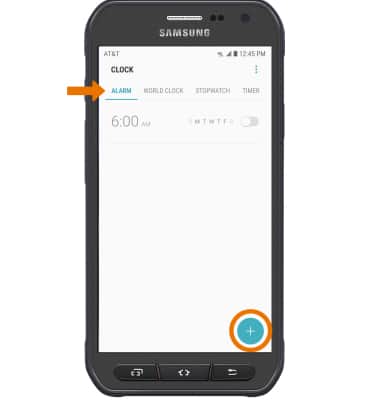
- Select ALARM, then select the Add icon.
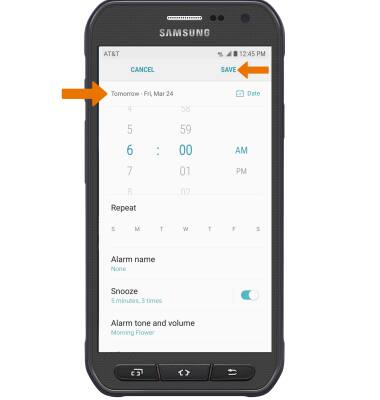
- Set desired alarm time and settings, then select SAVE when finished.
Date & Time
Samsung Galaxy S6 active (G890A)
Date & Time
Set the date and time.
INSTRUCTIONS & INFO