
- When a new message is received, a New Visual Voicemail incon will be displayed in the notifications bar.
Note: If the Visual Voicemail app is not installed on your device, download the App via the Play Store.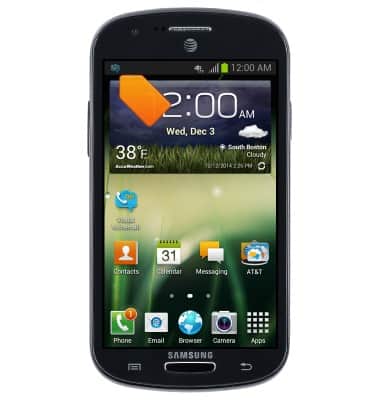
- Swipe down from the top of the screen to access the notification menu.
Note: Alternatively, you can check your voicemail messages by tapping the Phone icon from the home screen > Touch and hold the 1 key > if prompted, enter your voicemail password > follow the prompts to listen to your messages.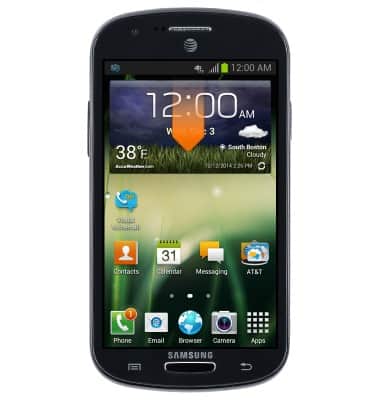
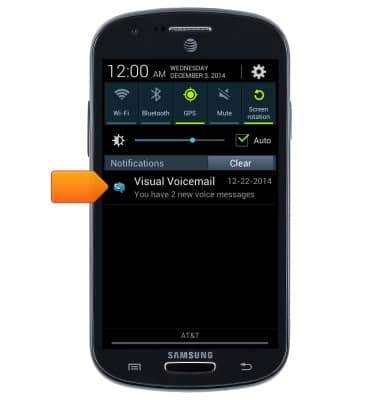
- Tap the Visual Voicemail notification.
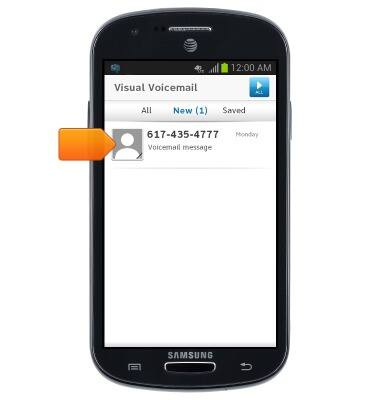
- Tap the desired voicemail.
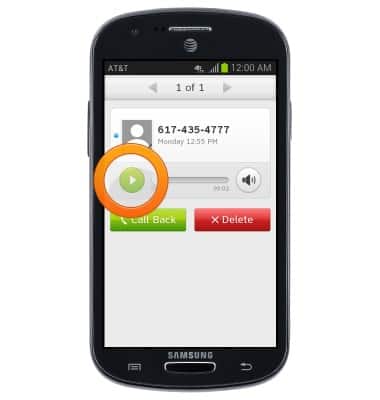
- Tap the Play icon to play the voicemail.
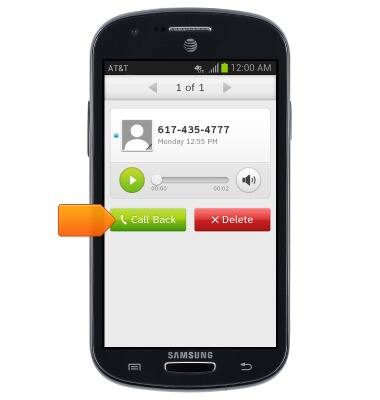
- To call the person who left the message, tap Call Back.
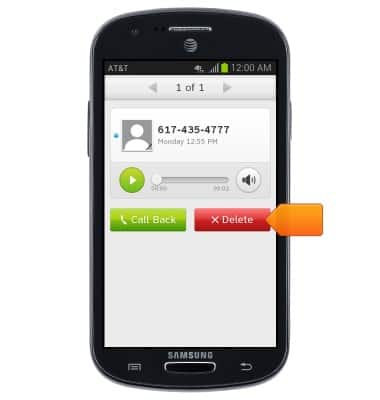
- Tap Delete to delete the voicemail.
Access Voicemail
Samsung Galaxy Express (I437/I437p) OS 4.0-4.1
Access Voicemail
Check your voicemail messages.
INSTRUCTIONS & INFO