
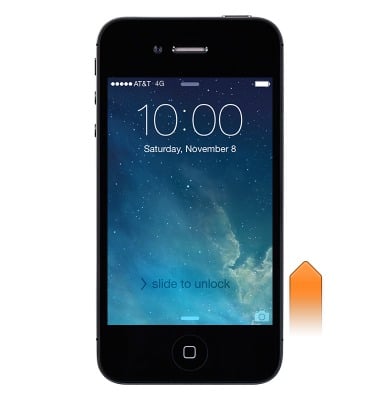
- From the Lock screen, just swipe the Camera icon up. Or swipe up from the bottom edge of the screen to open Control Center, then tap the Camera icon.
- Choose a mode:
Drag the screen left or right to choose Time-lapse, Slo-Mo, Video, Photo, Square, or Pano.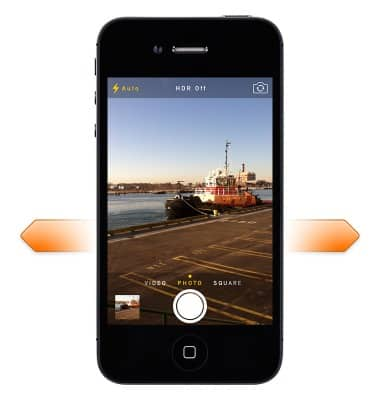
- Take a photo:
Choose Photo, then tap the shutter button or press either volume button.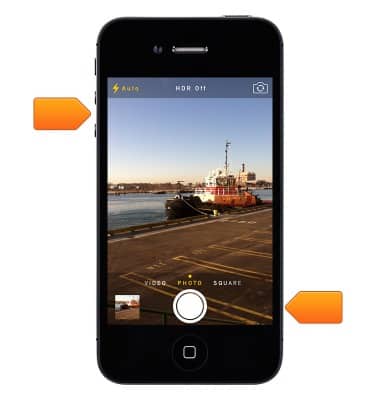
- Shoot some video:
Choose Video, then tap the Shutter button to start and stop recording.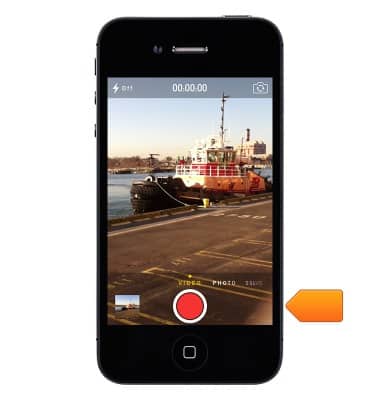
Take a picture or video
Apple iPhone 4
Take a picture or video
Take and edit a picture or video, use the front and rear camera, and switch between camera and video modes.
INSTRUCTIONS & INFO