- From the home screen, tap Settings.
Note: To optimize battery life, turn Wi-Fi off when not in use.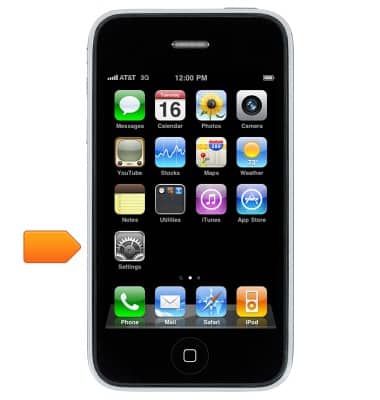
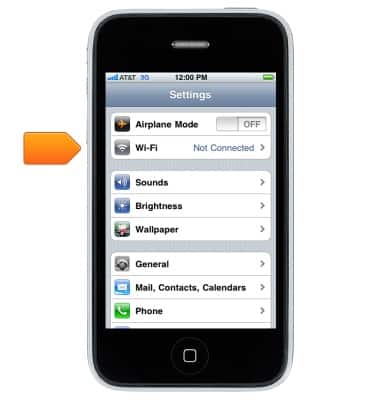
- Tap Wi-Fi.
- Tap the Wi-Fi swtich to turn on or off.
Note: Data transmitted over a Wi-Fi network does not count toward your AT&T data plan, and will not be billed.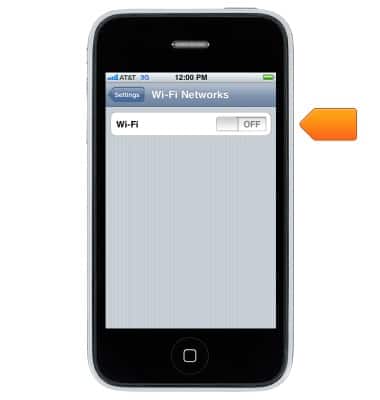
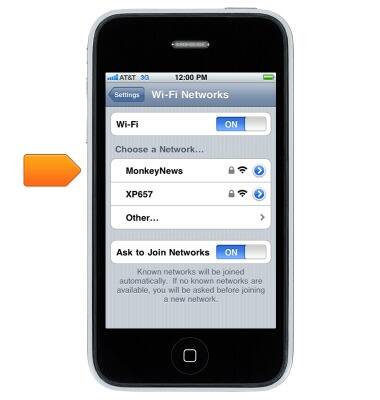
- Tap the desired wireless network.
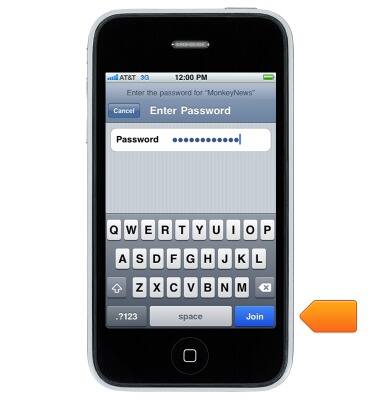
- Enter the required network password, then tap Join.
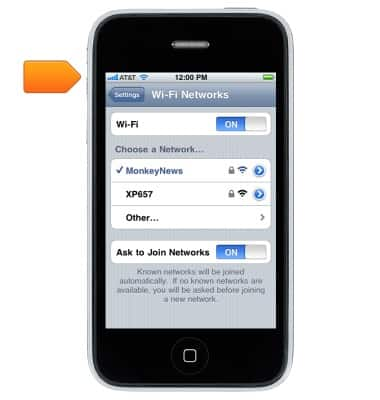
- When connected, the Wi-Fi icon will appear in the Status bar.
Wi-Fi
Apple iPhone 3G
Wi-Fi
How to connect your device to a Wi-Fi network.
INSTRUCTIONS & INFO