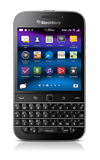
- From the home screen, swipe down from the top of the display to access Quick Settings.
Note: To check your current month's data usage dial *data# (*3282#) on your mobile phone to receive a text message with the current bill cycle's usage.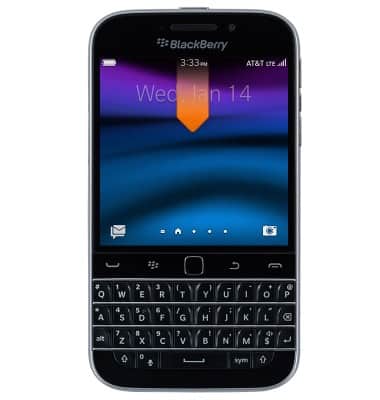
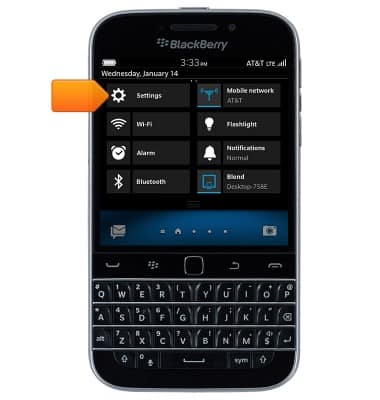
- Tap Settings.
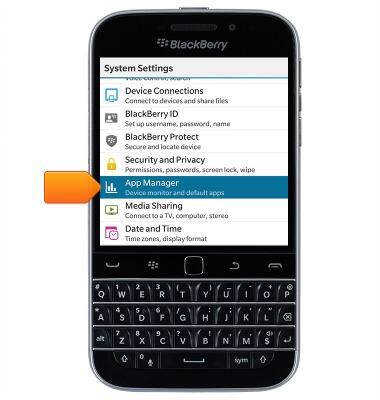
- Scroll to then tap App Manager.
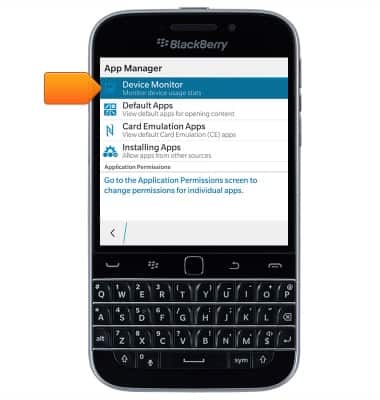
- Tap Device Monitor.
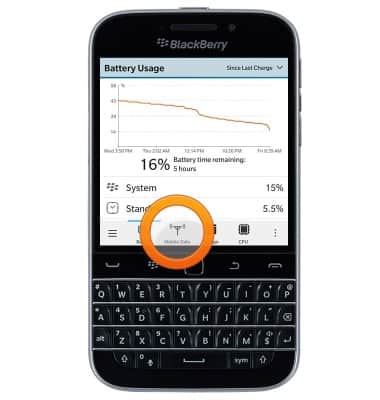
- Tap Mobile Data.
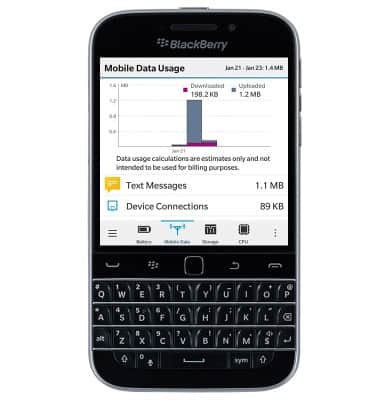
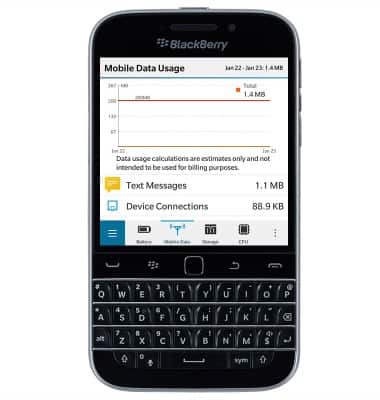
- Graphic and numerical summaries of Mobile data usage for the current billing cycle will display.
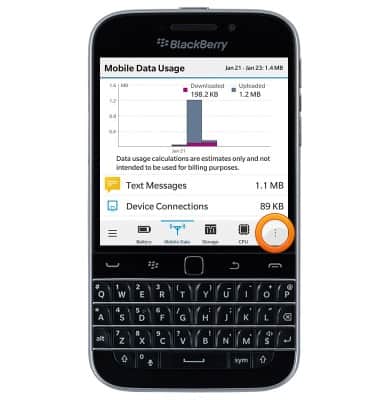
- To access Mobile data settings, tap the Menu icon.
- Tap Data Usage Settings.
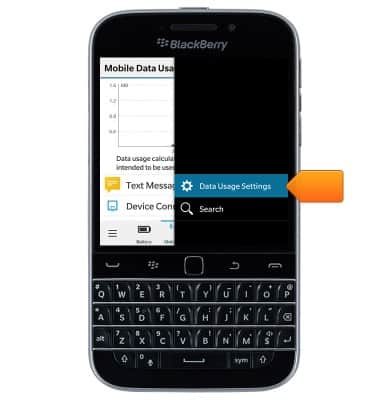
- To set a monthly data limit, tap the Mobile Data Limit field, then enter the desired limit.
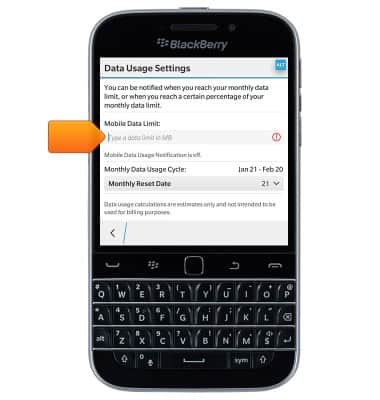
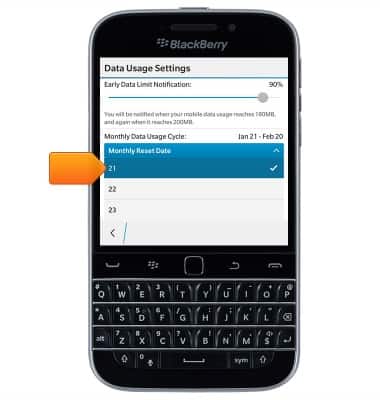
- To set the level at which you will be warned about your data use, drag the Notification slider to the desired level.
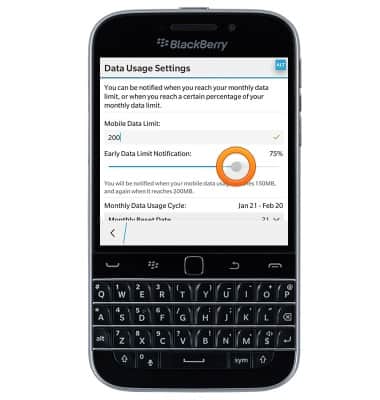
- To change the Billing cycle start date, tap the Monthly Reset Date drop-down.
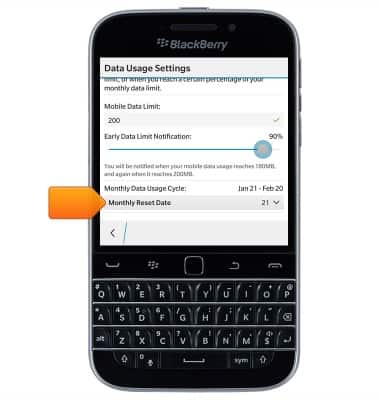
- Tap the desired option.
- The information displayed on the 'Mobile Data Usage' page will be updated to reflect any changes.
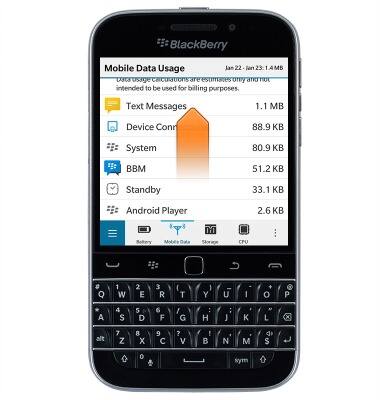
- Scroll down to view data usage broken down by app.
View & manage data
BlackBerry Classic (SQC100-2)
View & manage data
Access Usage Manager to view data usage, set data limits, & see the apps using the most data.
INSTRUCTIONS & INFO