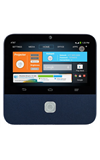
- From the home screen, tap the Projector on/off icon on the Projector widget to start the projector.
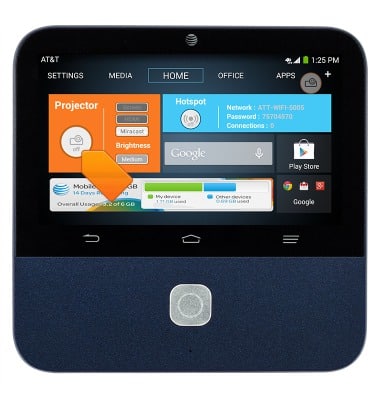
- To project from the screen, tap Screen.
Note: The default projection is set to project content on screen.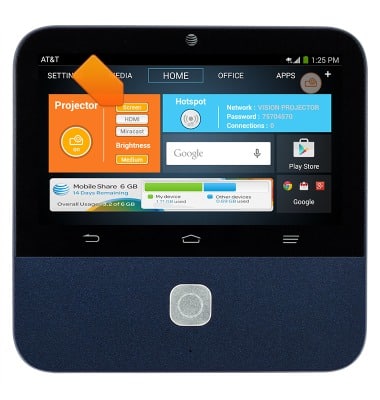
- To project using an HDMI cable, tap HDMI.
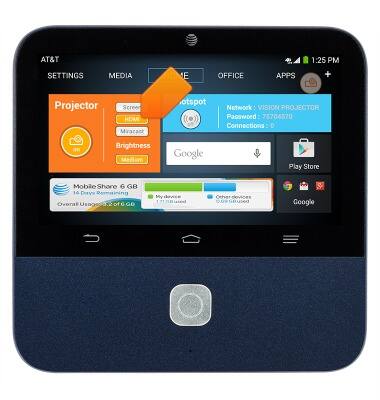
- To project using Miracast, tap Miracast.
Note: If Hotspot is ON, you can only connect up to 4 users while using Miracast.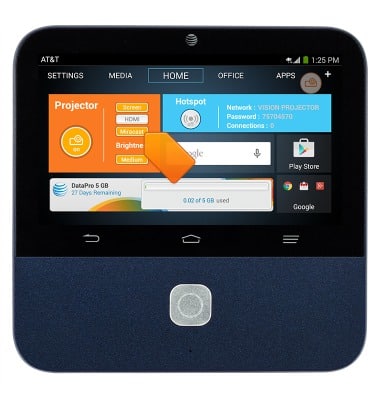
How to project
ZTE Spro 2 Smart Projector (MF97B)
How to project
How to start the projector and select what to project.
How to Project
This video describes how to project using your device.
How to Project
0:33
INSTRUCTIONS & INFO