
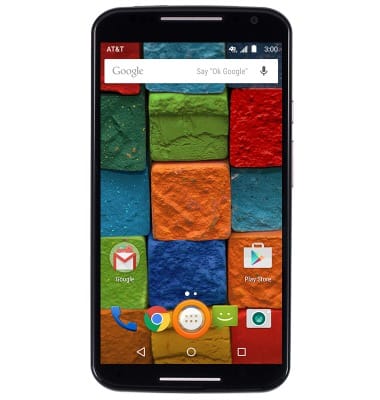
- From the home screen, tap the Apps icon.
- Swipe to, then tap Visual Voicemail.
Note: Alternatively, you can check your voicemail messages by tapping the Phone icon from the home screen > Touch and hold the 1 key > if prompted, enter your voicemail password > follow the prompts to listen to your messages.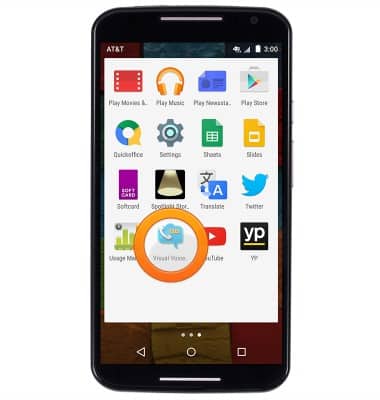
- Tap the desired message.
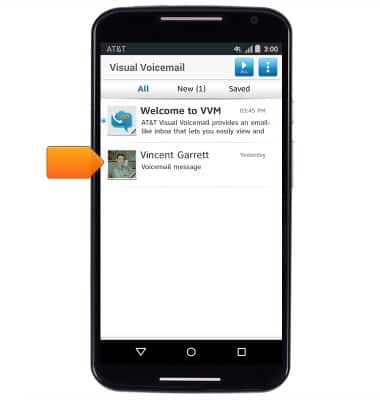
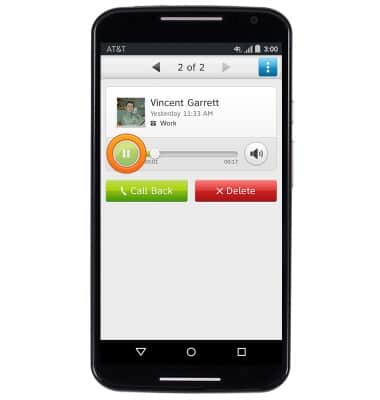
- Tap the Play icon to begin playback of the voicemail.
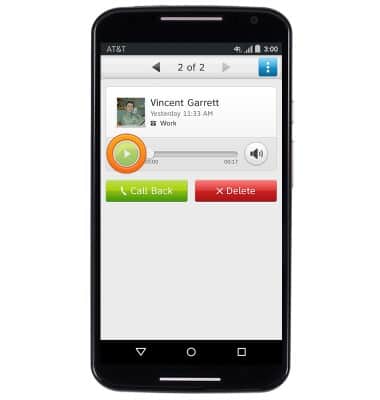
- Tap the Pause icon to pause playback of the voicemail.
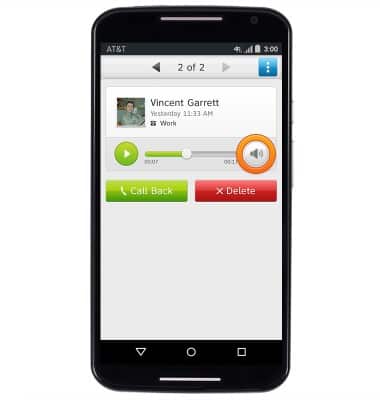
- Tap the Volume icon to adjust the playback volume of the voicemail.
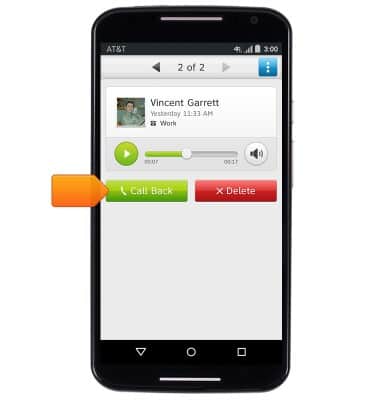
- Tap Call Back to call the sender back.
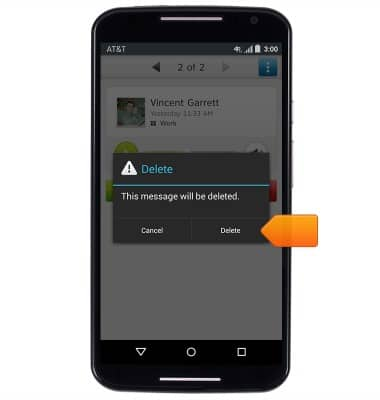
- To delete the voicemail, tap Delete.
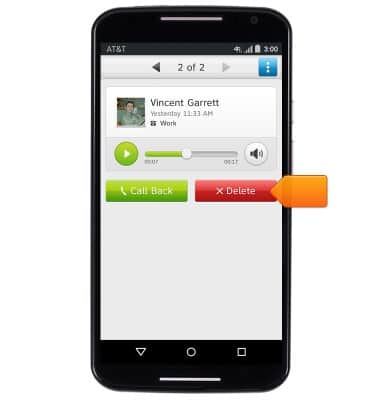
- Tap Delete.
- Alternatively, you can check your voicemail messages by tapping the Phone icon from the home screen > Touch and hold the 1 key / Tap the Voicemail key > if prompted, enter your voicemail password > follow the prompts to listen to your messages.
Note: View Access Voicemail for tips to manage voicemail. Go to Troubleshoot Voicemail for solutions to common voicemail problems.
Access Voicemail
Motorola Moto X (XT1097)
Access Voicemail
Check your voicemail messages.
Voicemail
This video describes how to access and use voicemail on your device.
Voicemail
4:09
INSTRUCTIONS & INFO