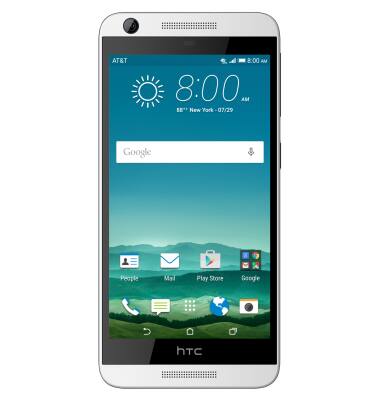
- Accessibility features allow you to improve the usability of your device for users affected by impaired vision or hearing, cognitive difficulty, or reduced dexterity.
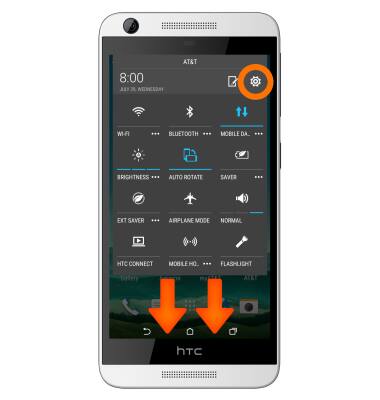
- Drag down from the top of the screen with two fingers, then tap the Settings icon.
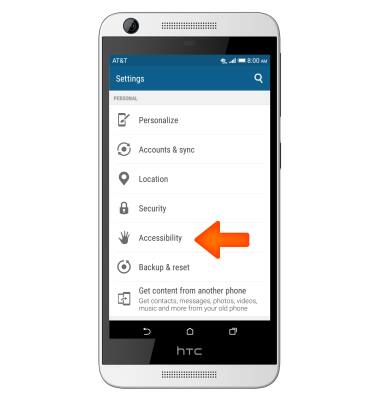
- Tap Accessibility.
- To turn on TalkBack, tap TalkBack.
Note: Download the user manual for instructions on how to navigate the device when Talkback is on.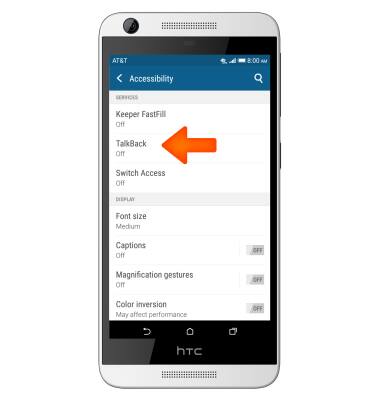
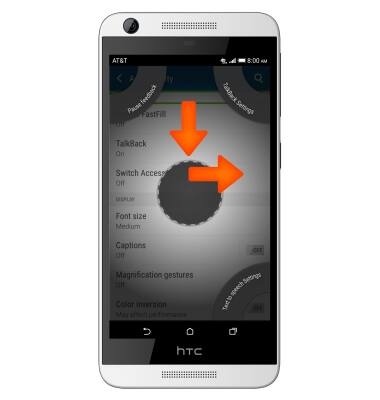
- To turn off Talk Back, draw an L shape with your finger and follow the prompts.
- To turn Flash Alerts on and off, from the Settings menu scroll down to and tap Sounds & notifications.

- Tap Flash notifications to turn on & off and select your desired choice.
Accessibility
HTC Desire 626 (0PM912000)
Accessibility
Turn on features such as TalkBack, Hearing aid mode, and more.
INSTRUCTIONS & INFO