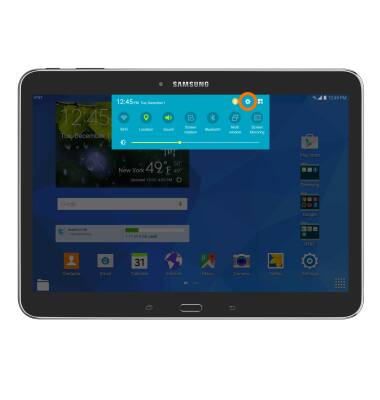
- Swipe down from the top of the screen, then tap the Settings icon.
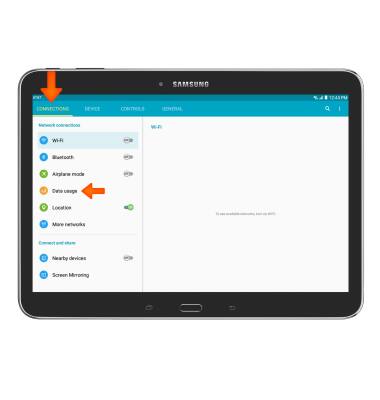
- Under the Connections tab, tap Data usage.
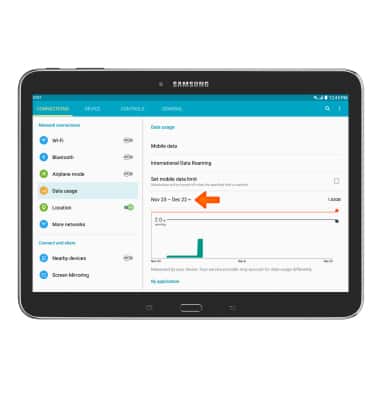
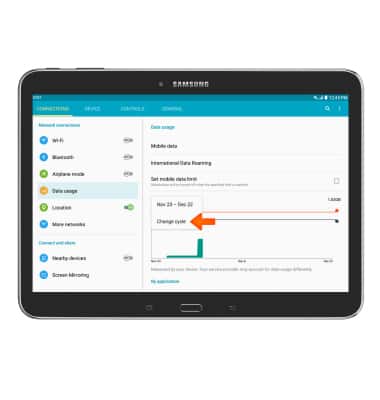
- To change the displayed billing cycle, tap the Data usage cycle drop-down.
- Tap Change cycle.
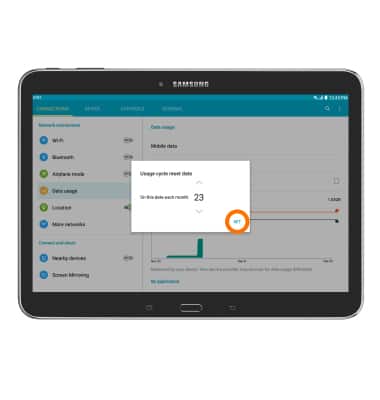
- Select the Desired date and tap SET.
- To set a monthly data limit, tap Set mobile data limit.
Note: When the mobile data limit is active and has been reached, the mobile data block will remain in effect until mobile data is manually re-enabled on the device, the limit threshold is changed to a higher value, or a new data usage cycle begins. If you set data usage limits on your device, they do not communicate with AT&T systems. You will still receive AT&T system generated notifications as you approach your data limits.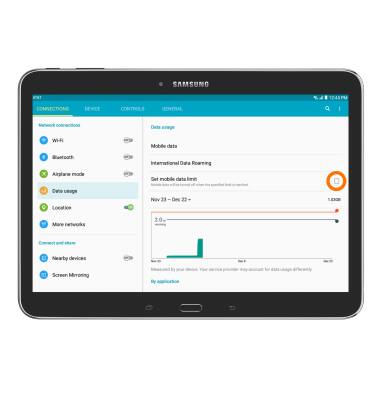
- Drag the Warning marker up or down to set the level at which you will be warned about month data usage.
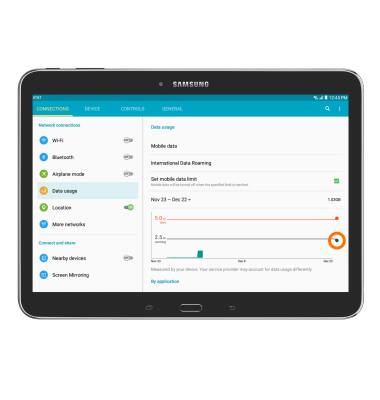
- Drag the Limit marker up or down to set the monthly data limit.
Note: The data warning and limit will save automatically.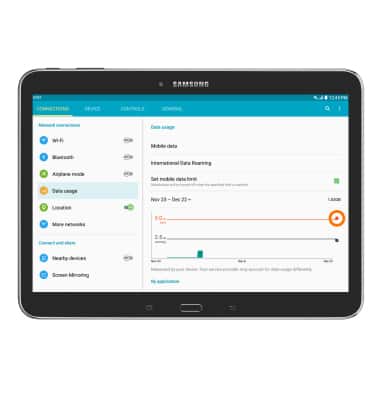
- You can scroll down to also view Data usage by app.
Note: To restrict individual apps from using data while running in the background, tap the Desired app > restrict background data switch. To restrict all apps from using background data, form the 'Data usage' screen, tap More > Restrict background data. Your myAT&T account is anohter way to manage your wireless usage.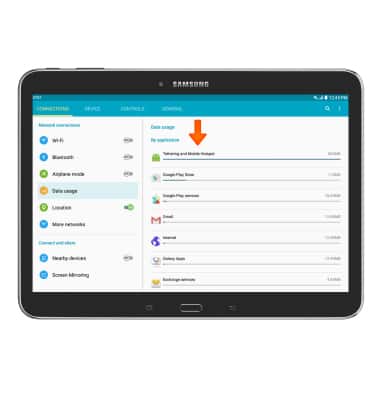
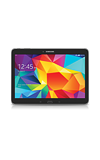
View & manage data
Samsung Galaxy Tab 4 (T537A)
View & manage data
Access Usage Manager to view data usage, set data limits, and see the apps using the most data.
INSTRUCTIONS & INFO