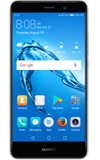
- Wi-Fi must be enabled to use screen projecting apps. To enable Wi-Fi, swipe down from the Notification bar then select the Wi-Fi icon.
Note: For more information on connecting to a Wi-Fi network, view the Wi-Fi tutorial.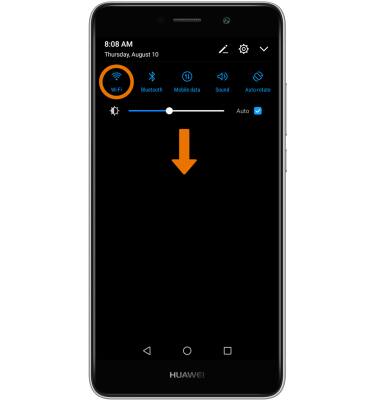
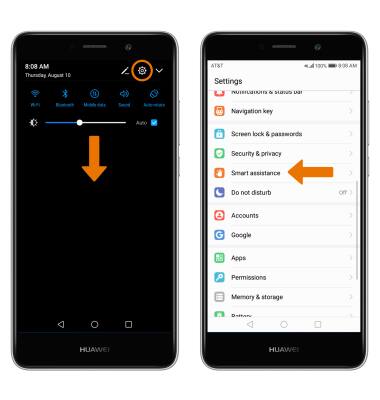
- USE MIRRORSHARE: Swipe down from the Notification bar, then select the Settings icon. Scroll to and select Smart assistance.
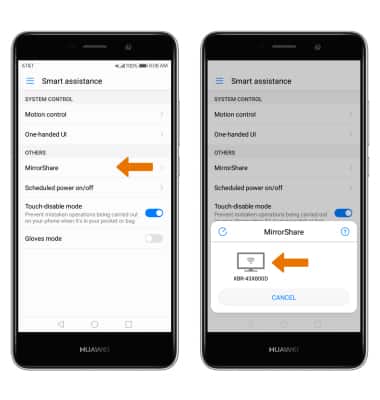
- Select MirrorShare, then select the desired device to connect.
Screen Projecting
Huawei Ascend XT2 (H1711)
Screen Projecting
Project photos, videos, and media on your device to another device (TV, tablet, computer, etc.).
INSTRUCTIONS & INFO