- From the home screen, tap the Apps icon.
Note: Alternately, you can set up voicemail by pressing and holding the number 1 key.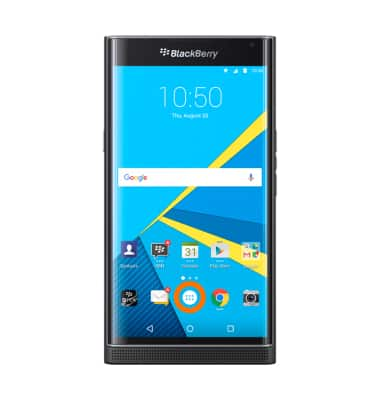
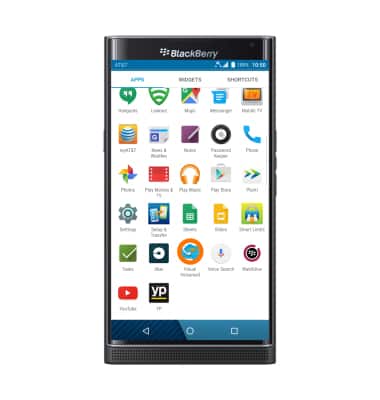
- Scroll to and tap Visual Voicemail.
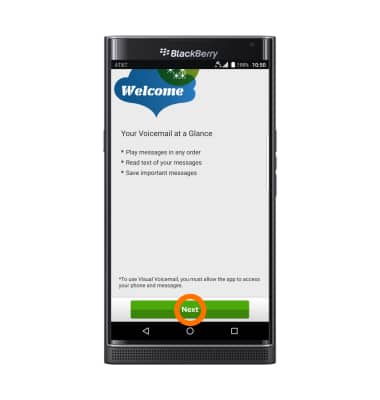
- Tap Next.
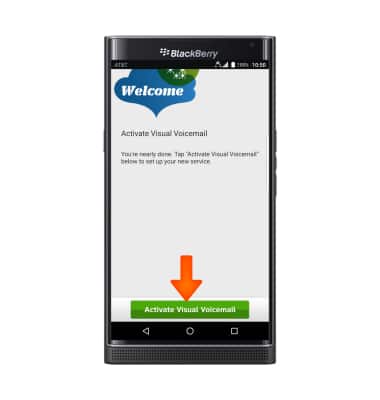
- Tap Activate Visual Voicemail.
- Tap Accept.
Note: If you are a new customer and have not established a voicemail box, you will be prompted to choose a voicemail password and greeting.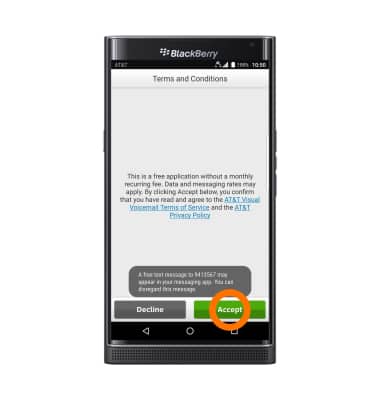
- Tap Finish.
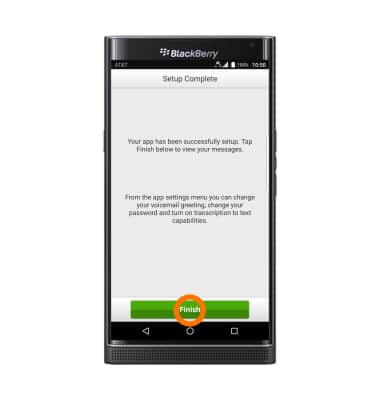
- Your Visual Voicemail is setup.
Note: View Access Voicemail for tips to manage voicemail. Go to Troubleshoot Voicemail for solutions to common voicemail problems.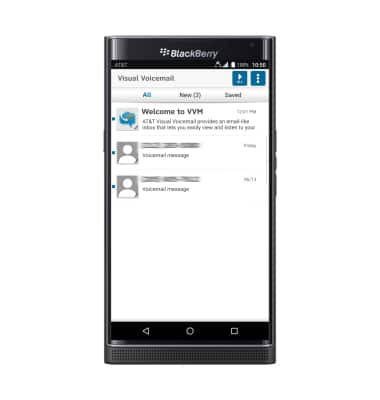
Set up voicemail
BlackBerry PRIV by BlackBerry (STV100-1)
Set up voicemail
Set up voicemail on your device.
Voicemail
Listen to your Visual Voicemail (VVM) messages on your device.

Voicemail
2:16
INSTRUCTIONS & INFO