- Watch, search, record, and more. You never have to be without the entertainment you can’t live without. With the DIRECTV app on your phone, your favorite movies and shows are all right there in your pocket, ready to entertain whenever the mood strikes you. Select the DIRECTV app.
Note: If the app is not up to date, you will be prompted to update the DIRECTV app. Select UPDATE. When complete, select OPEN. First-time users will be prompted to review the End User Acknowledgement, select I Agree. Review permissions for the DIRECTV app and select DENY or ALLOW to continue through the prompts.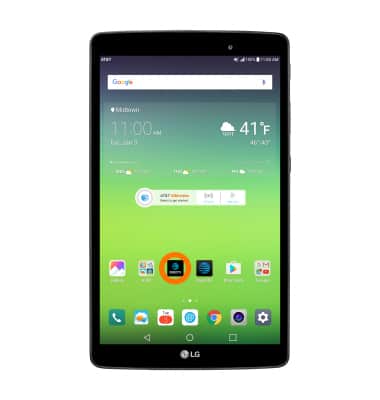
- Enter your Login information, then select Sign in.
Note: First-time users will be presented with a short tutorial. Select Continue to view more or select SKIP to continue to the app.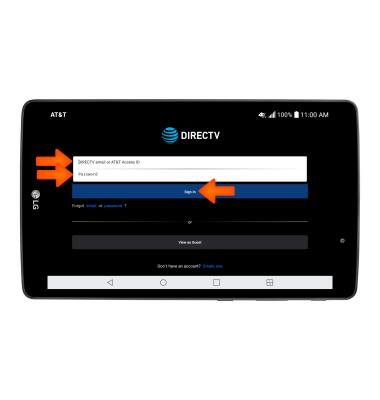
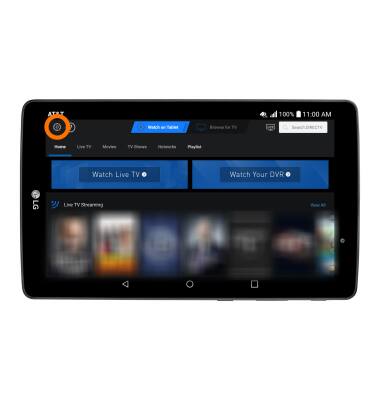
- WATCH LIVE TELEVISION: Select Watch on Tablet, then select Watch Live TV or select the desired show.
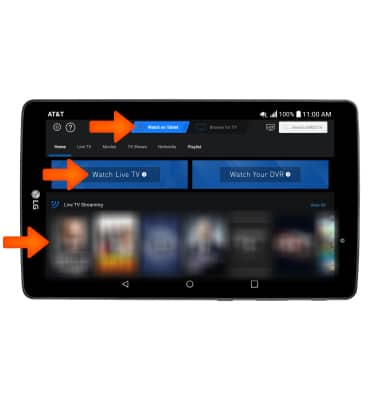
- USE DTV QUICK REMOTE: Select Browse for TV, then select the Remote icon.
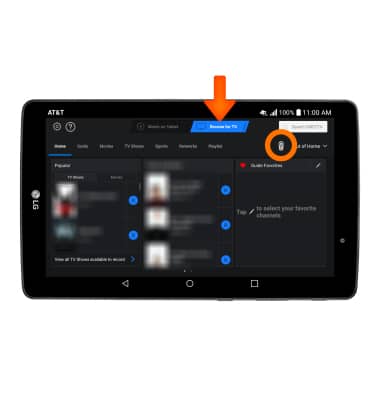
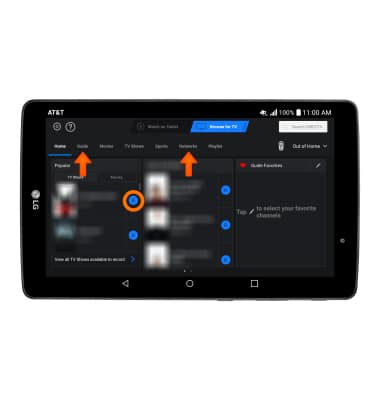
- BROWSE & RECORD PROGRAMS TO YOUR DVR: Select the Record icon. You can also browse through programs on your device by Network or through the Guide by selecting the corresponding options.
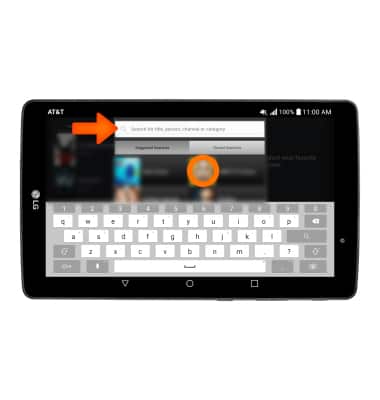
- SEARCH FOR A SHOW OR MOVIE: Select the Search bar, then enter the desired title. Select the desired search result.
- EDIT SETTINGS: Select the Settings icon.
DIRECTV App
LG G Pad X 8.0 (V520)
DIRECTV App
This tutorial shows how to access and use DIRECTV app if you are a DIRECTV subscriber.
INSTRUCTIONS & INFO