- Select the Mail app from the home screen. Select the Menu icon, then select Settings.
Note: In order to access email settings, you must have already set up an email account.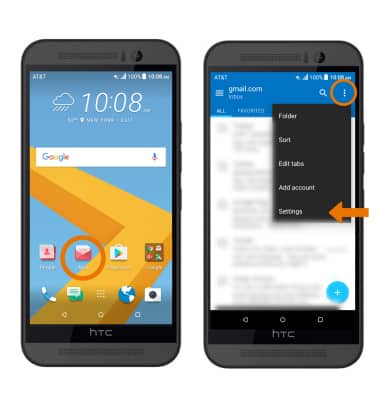
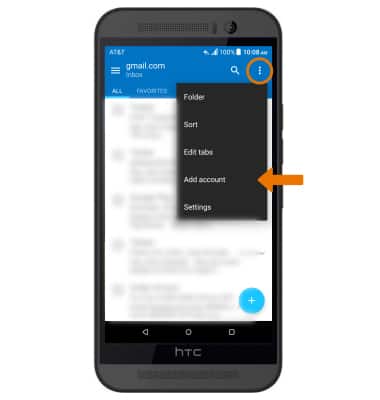
- ADD NEW ACCOUNT: Select then Menu icon, then select Add account. Follow the prompts to complete set up.
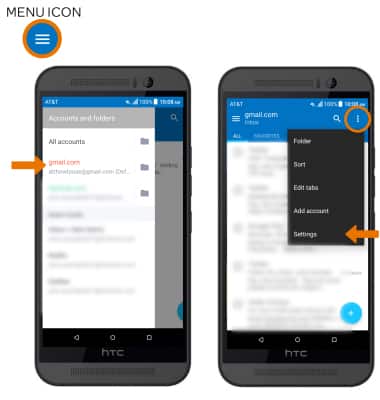
- EDIT EMAIL ACCOUNT SETTINGS: Select the Menu icon at the top-left hand side of the screen, then select desired email account. Select the Menu icon on the top-right side of the screen, then select Settings. Edit the account as desired.
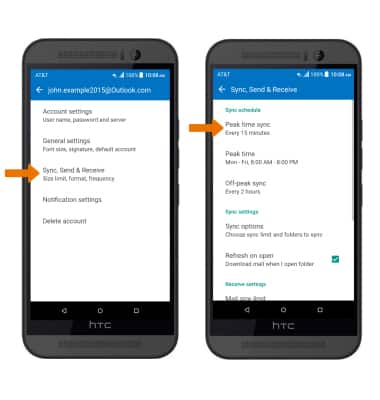
- EDIT SYNC SETTINGS: Select Sync, Send & Recieve > Peak time sync > desired sync frequency.
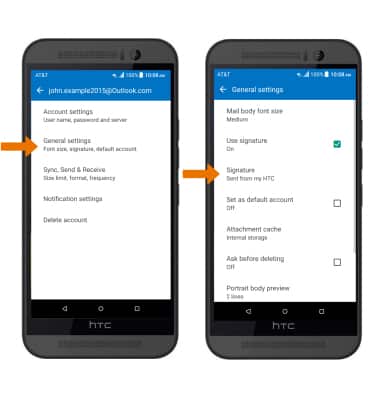
- ADD/EDIT SIGNATURE: Select General settings > Signature > edit as desired > SAVE.
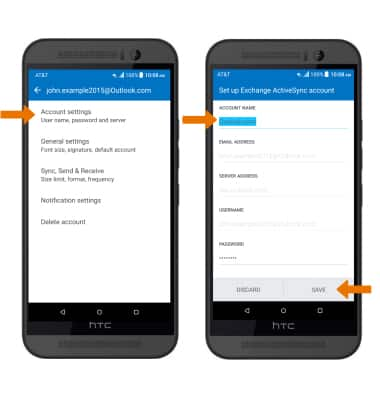
- CHANGE SERVER SETTINGS: Select Account settings > edit Server settings as desired > SAVE.
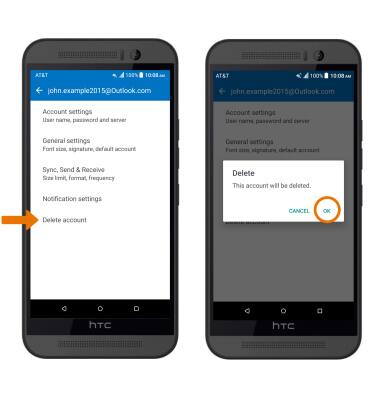
- REMOVE ACCOUNT: Select Delete account > OK.
Email Settings
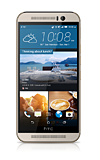
HTC One M9 (0PJA110)
Email Settings
Manage email settings such as sync frequency, server settings, signature, deleting an email account, and more.
INSTRUCTIONS & INFO