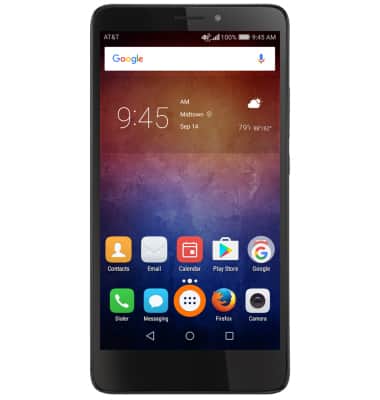
- From the home screen, select the Dialer icon.
- Select the Visual Voicemail icon.
Note: Alternatively, you can check your voicemail messages by selecting the Dialer icon from the home screen > Touch and hold the 1 key > if prompted, enter your voicemail password > follow the prompts to listen to your messages.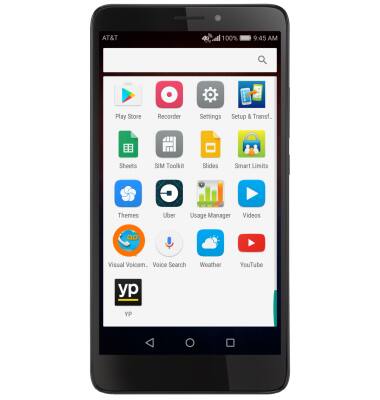
- Select the Message to view.
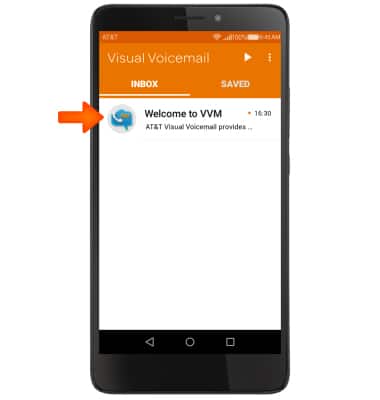
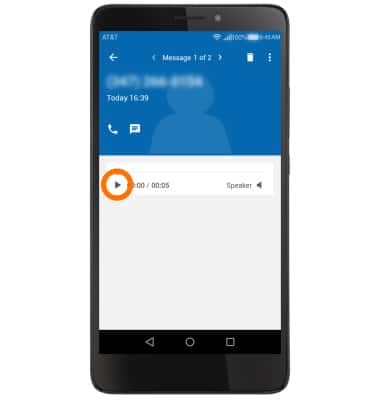
- Select the Play icon to play the message.
- Select the Stop icon to pause the voicemail.
Note: Select the Play icon to resume playing.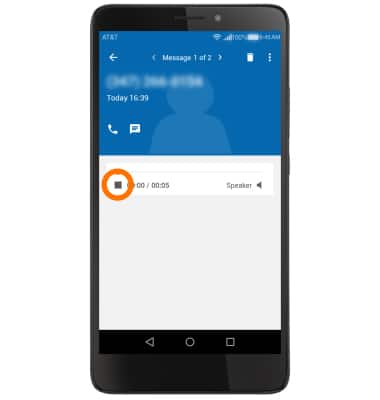
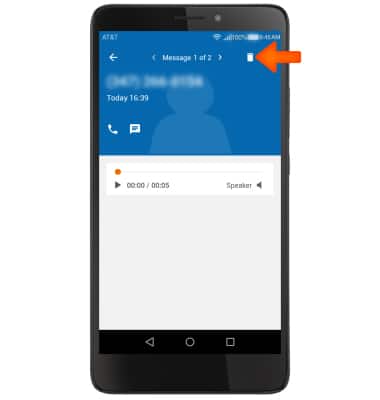
- To delete the voicemail, select Trashcan icon.
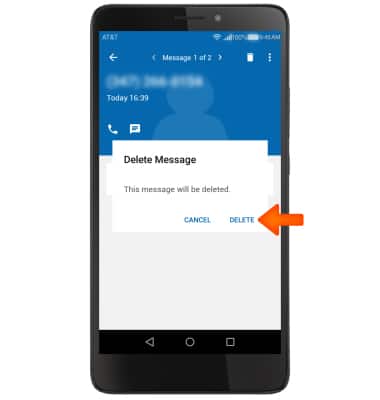
- Select Delete.
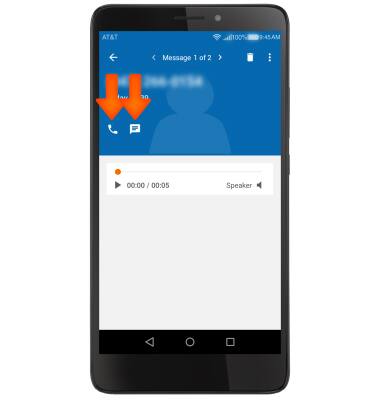
- To return the call, select the Phone icon. To respond with a message, select the Message icon.
- To save, share, or export a voicemail, select the Menu icon and select the desired option.
Note: View the Access Voicemail for tips to manage your voicemail. Go to Troubleshoot Voicemail for solutions to common voicemail problems.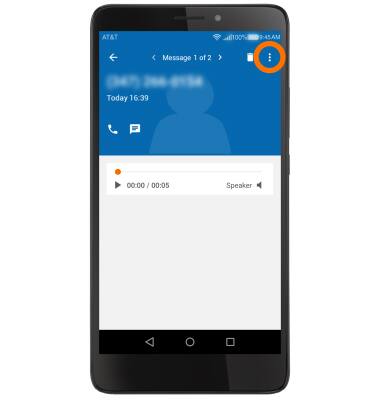
Access voicemail
Huawei Ascend XT (H1611)
Access voicemail
Check your voicemail messages.
Set Up Voicemail
Set up voicemail, check messages, and change or reset password.
Set Up Voicemail
3:10
INSTRUCTIONS & INFO