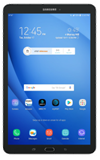
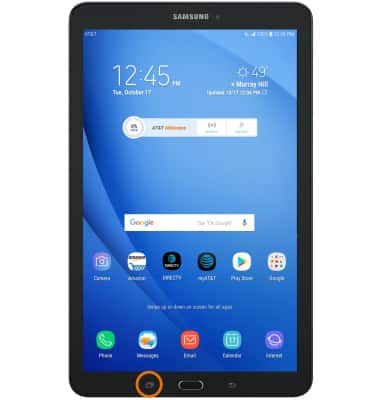
- ACCESS MULTI WINDOW: Select the Recent apps key.
- Select the Multi window icon on the desired app.
Note: Only apps which display the Multi-Window icon can use the Mutli-Window feature.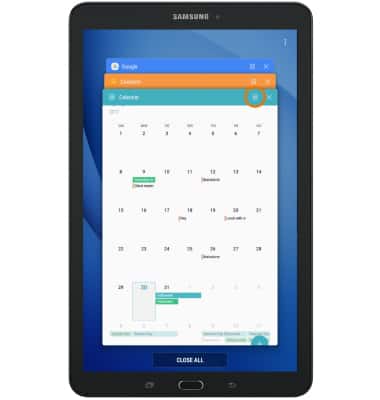
- Select the desired app at the bottom of the screen to open in split screen.
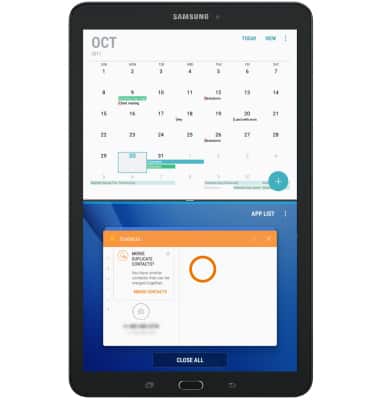
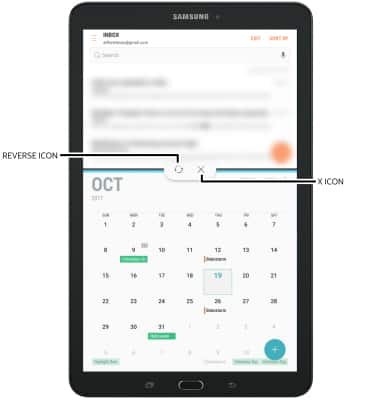
- You will now be able to navigate two applications at once. To reverse the apps or close Multi Window, select the Divider then select the desired icon.
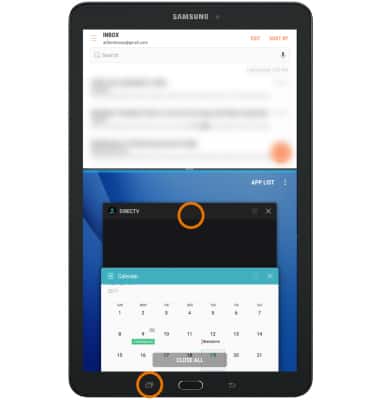
- OPEN A NEW APP: Select the Recent apps key, then select the desired app.
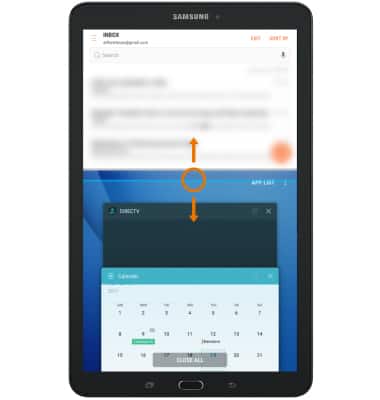
- OPEN AN APP COMPLETELY: Drag the divider in the middle of the screen down to the bottom or up to the top of the screen, depending on which app you want to open completely.
Multi Window
Samsung Galaxy Tab E 8.0 (T377A)
Multi Window
The Multi Window feature provides split-screen functionality, which allows you to use two applications at the same time. Complete multiple tasks on one screen; take notes while watching a video, or search the web and check your email messages simultaneously.
Multi Window
Complete multiple tasks on one screen; take notes while watching a video, or search the web and check your email messages simultaneously.
Multi Window
1:26
INSTRUCTIONS & INFO