- To set up AT&T basic voicemail, from the clock screen, press the Power/Home button.
Note: These instructions will set up your Gear's voicemail box. To set up your phone's voicemail box, access your voicemail box by selecting and holding the 1 key from your phone.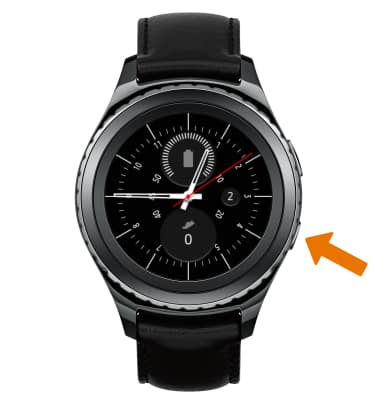
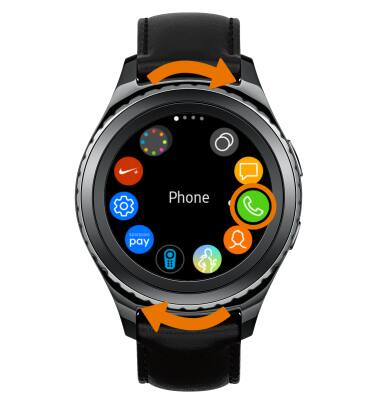
- Rotate the bezel to and select the Phone icon.
- Select the Keypad icon.
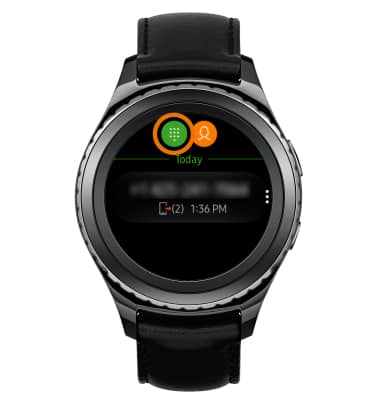
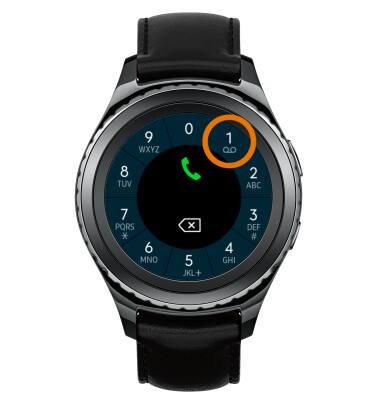
- Select and hold the 1 key.
- Follow the prompts to set up voicemail, then enter your voicemail password.
Note: View Access AT&T Basic Voicemail for tips to manage your voicemail. Go to Troubleshoot Voicemail for solutions to common voicemail problems.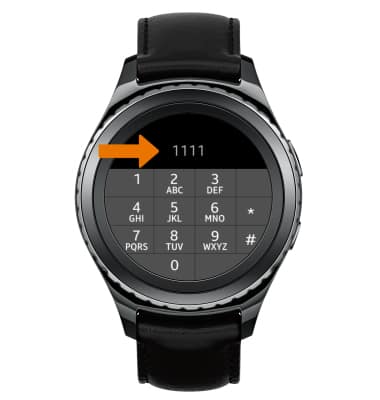
Set Up Voicemail
Samsung Gear S2 classic (R735A)
Set Up Voicemail
How to set up your voicemail inbox.
INSTRUCTIONS & INFO