
In this tutorial you will learn how to:
• Access blocked numbers
• Block and unblock numbers
• Block unknown numbers
Access blocked numbers
From the Keypad tab in the  Phone app, select the
  Menu icon then select Settings. Select Block numbers.
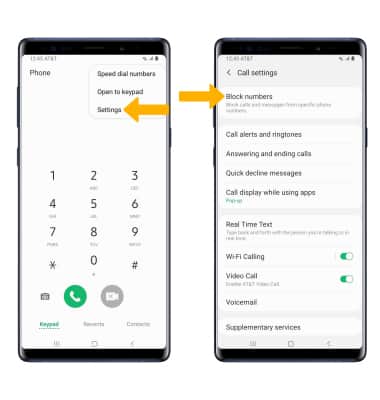
Phone app, select the Menu icon then select Settings. Select Block numbers.Block and unblock numbers
From the Block numbers screen, you can add or remove numbers from the block list. Select the desired option:
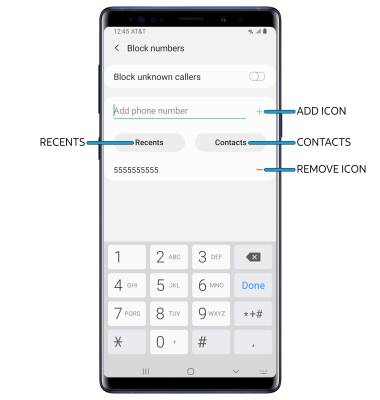
• BLOCK PHONE NUMBER: Enter the desired number, then select the Add icon.
• CONTACTS: Select Contacts, then navigate to and select the desired contact.
• RECENT CALL: Select Recents, then select the desired number.
• UNBLOCK PHONE NUMBER: Select the Remove icon next to the desired number.
Block unknown numbers
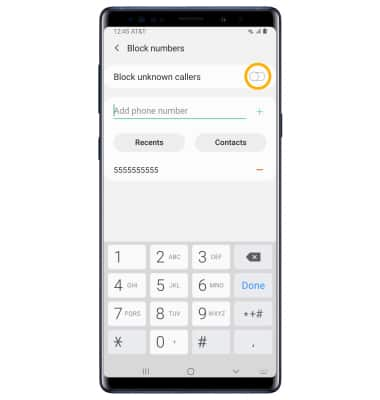
From the Block numbers screen, select the Block unknown callers switch.