
In this tutorial, you will learn how to:
• Use Bluetooth to activate device
• Use a QR code to activate device
Use Bluetooth to activate device
1. From the clock screen, press the Home button then select the  Settings app.
2. Scroll to and select Connections, then select Bluetooth. 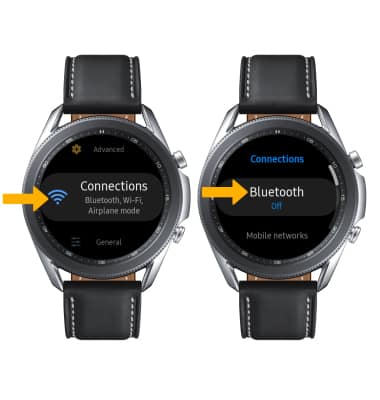
3. Select the Bluetooth switch to turn Bluetooth on.
Note: To optimize battery life, turn Bluetooth off when not in use. 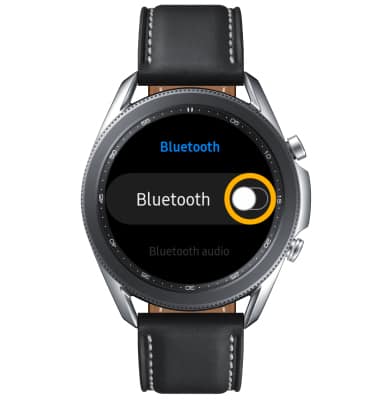
4. To connect to a device, from the Bluetooth screen, select Bluetooth audio. The device will automatically scan for devices. Select the desired device. 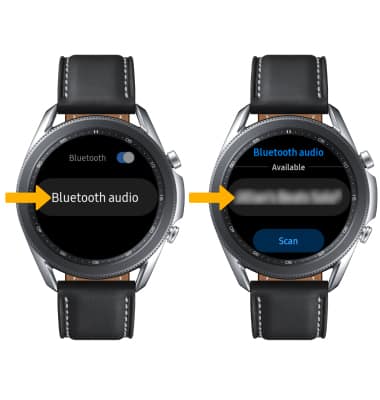
When Bluetooth is on the  Bluetooth icon will display in the Moments bar.
Use a QR code to activate device
1. From your paired device, navigate to the  Galaxy Wearable app.
2. Select the Home tab, then scroll to and select Mobile plans. 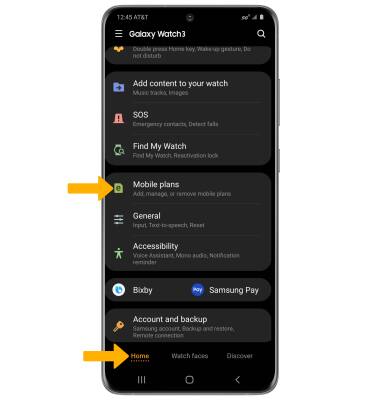
3. Select Use code. 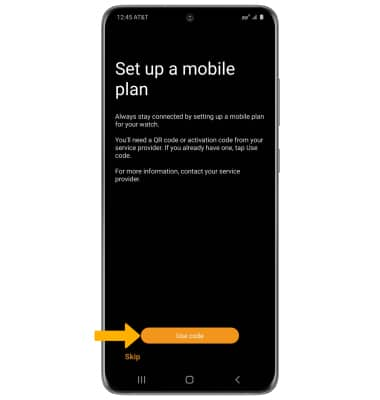
4. Point the camera at the QR code to scan it. 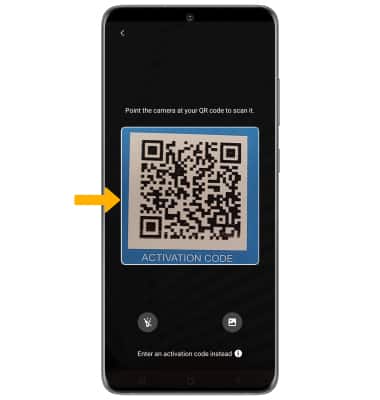
5. Select Use plan. 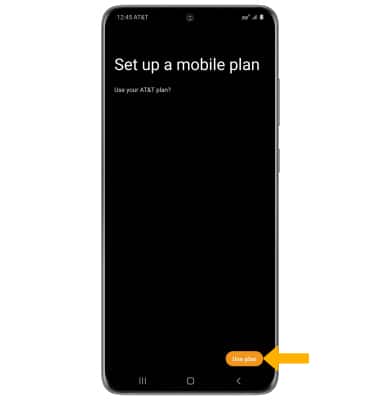
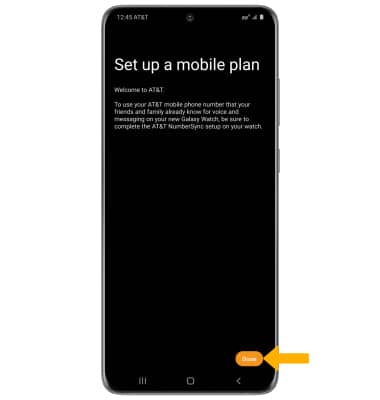
6. Select Done.
Note: After completing activation, ensure that the watch software is up to date.