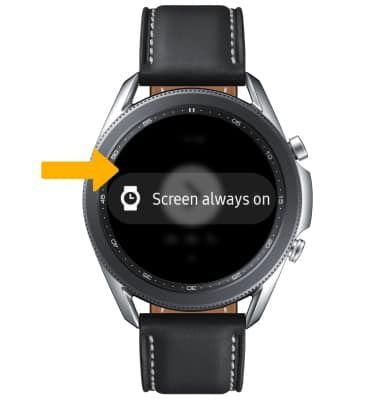
• Access PPT Controller
• Use PPT Controller
• Access PPT Controller settings
Access PPT Controller
1. From the clock screen press the Home button then navigate to and select the PPT Controller app. 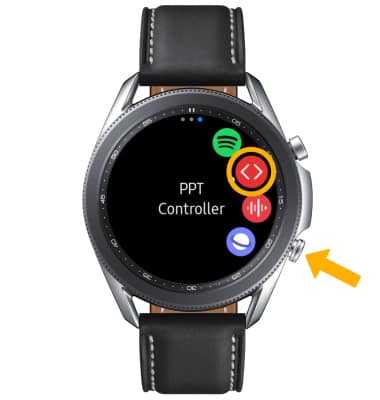
2. Select the desired device to connect to, then select Connect. Select the  Checkmark icon to pair the watch to your computer.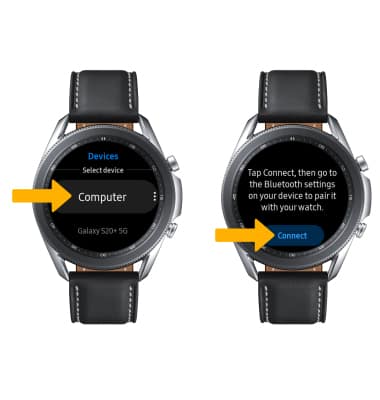
Use PPT Controller
1. Select the Play icon to begin the slideshow, or select Touchpad to use your watch screen as a cursor. 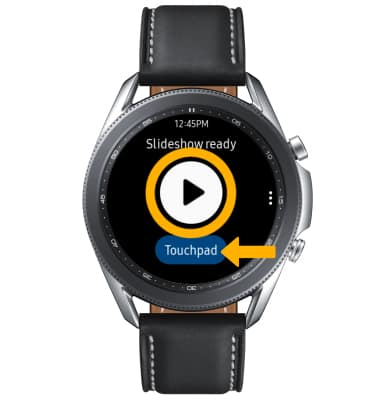
2. Select the Forward icon to scroll forward through slides. To access more options, swipe up.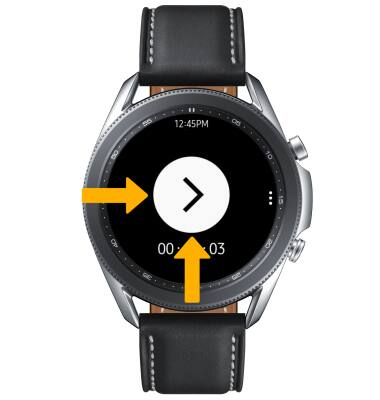
3. Select the Back icon to scroll back through slides. Select the Stop icon to stop the presentation. 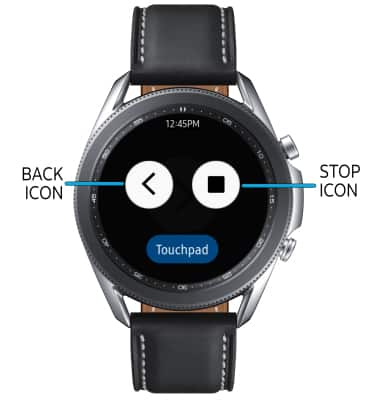
Access PPT Controller settings
Select the  Menu icon. Adjust settings as desired.