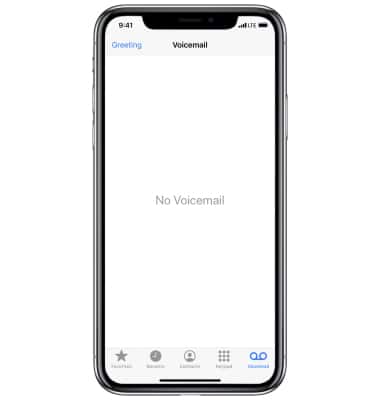
 Phone app.
Note: When NumberSync℠ is enabled, calls to primary device will route to primary voicemail box. This tutorial displays how to set up voicemail through the primary device (using an iPhone X on iOS 15). Alternatively, you can set up voicemail by selecting the
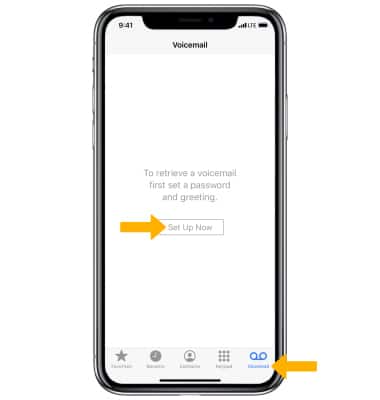
Phone app then pressing and holding the 1 key. If prompted, enter your voicemail password, then follow the prompts to set up your voicemail. You will not be able to set up your voicemail when using Wi-Fi calling.2. Select the Voicemail tab, then select Set Up Now.
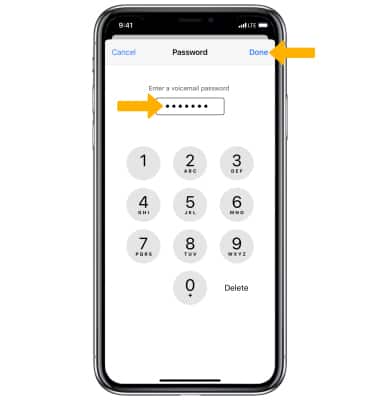
3. Enter a 4 to 15 digit voicemail password, then select Done.
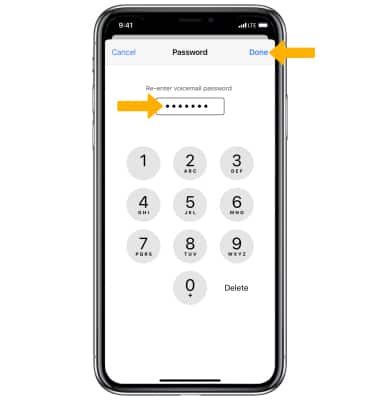
4. Re-enter your voicemail password, then select Done.
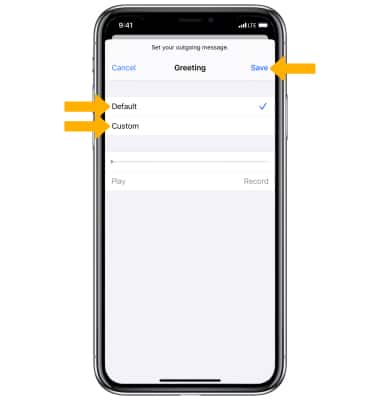
5. Select Default to use the default greeting. Select Custom to record a custom greeting. When finished, select Save.
6. Your voicemail inbox will be displayed.
Note: View Access Voicemail for tips to manage your voicemail. Go to Troubleshoot Voicemail for solutions to common voicemail problems.