In this tutorial, you will learn how to:
• Turn Daily board on or off
• Adjust Daily board settings
Turn Daily board on or off
1. From the home screen, swipe down from the Notification bar then select the  Settings icon.
Note: Alternately, you can enable or disable Daily board by swiping down from the Notification bar with two fingers > swipe left > select Daily board.
2. Scroll to and select Advanced features, then scroll to and select the  Daily Board switch to enable or disable.
Note: By default, the Daily Board feature is turned on. Daily Board allows you to dock the Samsung Galaxy Tab S8+ and see a slideshow of your pictures on the Samsung Photos service, while also displaying the time, weather, and calendar. Additionally, the Samsung Galaxy Tab S8+ has far field mics and can be used as an intelligent home assistant while in Daily Board mode. Daily Board is only accessible if you own a charging dock.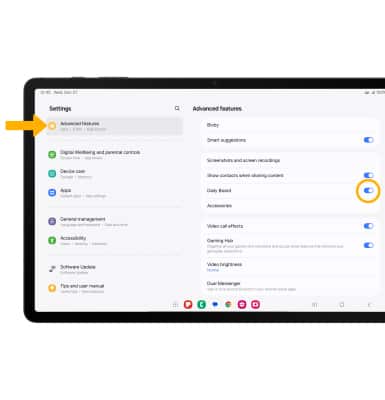
Adjust Daily board settings
1. From the Advanced features screen, select Daily Board.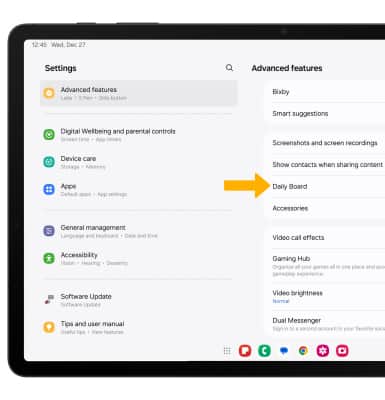
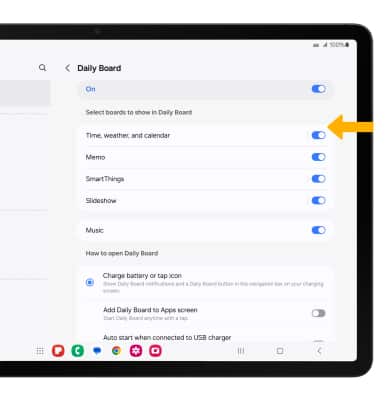
2. Select the switch next to the desired board to enable or disable.