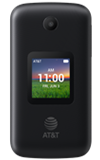
1. From the home screen, press the OK button to access the Apps tray.
2. Press the navigation keys to navigate to Tools, then press the OK button to select Tools > File Manager app.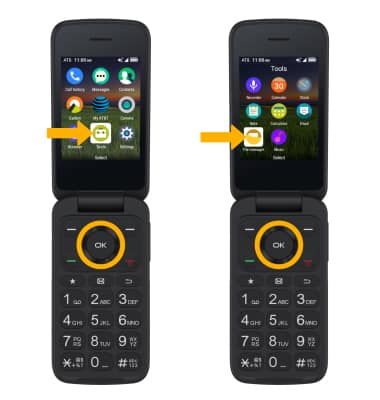
3. Ensure that Phone is highlighted, then press the OK button.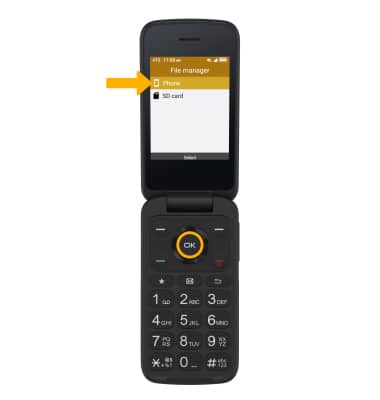
3. Press the navigation keys to navigate to the desired location and highlight the desired file.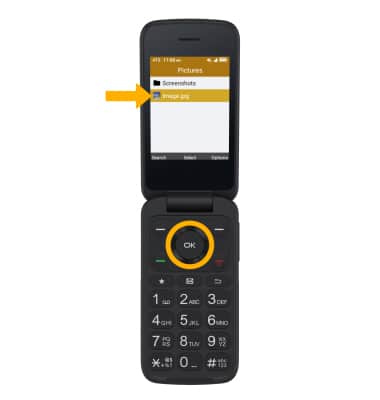
4. Press the Right Menu key to select Options. Press the navigation keys to highlight Copy, then press the OK button to select. 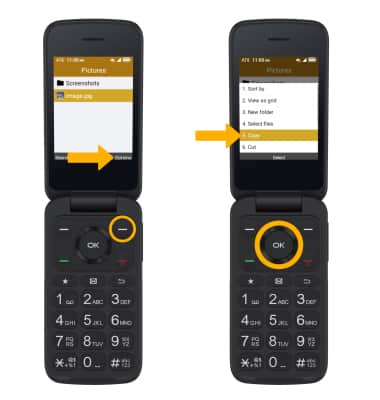
5. Press the Back button to return to the storage option screen, then press the down navigation key to highlight SD card. Press the OK key to select.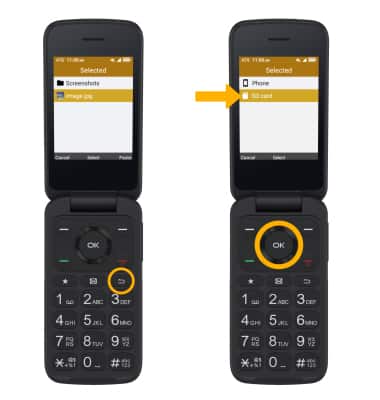
5. Press the navigation keys to navigate to the desired location, then press the Right Menu key to select Paste. 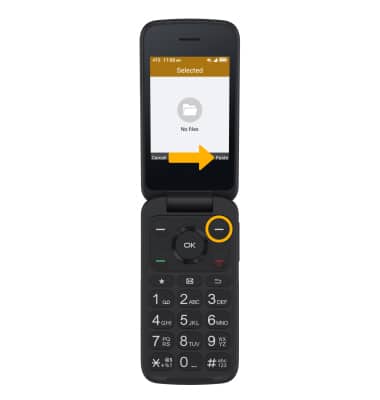
Back up & Restore with Memory Card
TCL CLASSIC (4058R)
Back up & Restore with Memory Card
Find out how to back up contacts, photos, and files with a memory card to increase device memory or transfer to another device.
INSTRUCTIONS & INFO

Inserting a memory/microSD card into your device allows you to transfer and store contacts, music, pictures, and videos. MicroSD cards are sold separately. For information about your device's memory, visit the Available Memory tutorial.