Samsung Galaxy S20 5G Device Help & How-To Guides
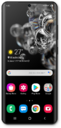
What would you like to learn about your device?
Trending Galaxy S20 5G topics
Turning on and changing your Voice Access
Voice Access allows you to navigate through your device, and even launch apps, by speaking to your device instead of tapping the screen.
ExploreAdding apps and widgets to the Home screen
Widgets allow you to do things such as preview upcoming events, see recent emails, and get quick access to your favorite contacts. Widgets are also known as modules and help you keep important information at the tips of your fingers.
ExploreManaging data usage
Learn how to easily check and track your data usage by following these steps.
ExploreInserting and Removing the Nano SIM Card
Learn how to insert, remove, and replace a SIM card in your device.
Explore