Samsung Galaxy Z Flip3 5G Device Help & How-To Guides
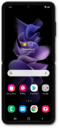
What would you like to learn about your device?
Trending Galaxy Z Flip3 5G topics
Transferring an eSIM after you’ve set up your device
Learn how to add an eSIM to your device by transferring a SIM or an eSIM directly from another device that’s nearby.
ExploreCalling your voicemail inbox
Follow along to learn how to easily call your voicemail inbox and listen to your messages.
ExploreSetting up mobile hotspot
Set up your device as a Mobile Hotspot so you can share your data connection with other devices. Your device will create a Wi-Fi hotspot with its data connection. Other devices will be able to connect to the Wi-Fi hotspot.
Explore