Apple iPhone XR Device Help & How-To Guides
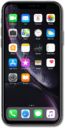
What would you like to learn about your device?
Trending iPhone XR topics
Turning data roaming on and off
When traveling internationally, you may want to turn data roaming on and off to conserve data and minimize unwanted fees.
ExploreDownloading an app
You can download an app or widget onto your device from your device's app store application. Once downloaded onto your device, you will be able to use that application or widget.
ExploreActivating Wi-Fi calling
You can use Wi-Fi calling to make and receive calls in areas with limited or no cellular connectivity. If this option is not present on your device, or cannot be enabled, your carrier's network or your specific cellular plan might not support this feature.
ExploreSetting up an eSIM with a push notification after device setup
This tutorial walks you through the process of setting up an eSIM on your device using a push notification sent by your carrier. This guide shows you how to accept the notification, download the eSIM profile, and activate your mobile service quickly and securely—without scanning a QR code or manually entering details.
Explore