Motorola Motorola Razr 2025 Device Help & How-To Guides
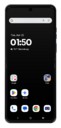
What would you like to learn about your device?
Trending Motorola Razr 2025 topics
Setting up your second cellular plan with an eSIM
Adding a secondary eSIM alongside a physical SIM or eSIM allows you to quickly switch between two cellular plans and/or carriers for voice or data.
ExploreTurning on Spoken assistance accessibility options
Your device can speak the text you're typing if you need a little help with your keyboard inputs.
ExploreSetting up Gemini™
You can ask the Google Assistant to send emails, send texts, or start phone calls for you. In order to use the Google Assistant it needs to be set up first.
ExploreSetting up an eSIM using a QR Code or Activation Code
This tutorial guides you through the process of activating and setting up an eSIM on your smartphone using a QR code after the initial device setup has been completed. Whether you skipped eSIM activation during the initial setup or are switching carriers, this step-by-step guide will cover scanning your carrier-provided QR code and properly activating your eSIM.
Explore