Samsung Galaxy Note 20 5G Device Help & How-To Guides
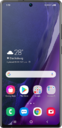
What would you like to learn about your device?
Trending Galaxy Note 20 5G topics
Transferring content from your old device with a wireless connection
Using a wireless connection, you can move your pictures, videos, and other media files from your old device to your new device.
ExploreSetting up an eSIM on your phone
A guide to all the different ways you can set up an eSIM on your device.
ExploreResetting network settings
If you are having trouble connecting to the Internet you may need to reset your network connections. Resetting your network connections will disconnect any Bluetooth devices connected to your device and disconnect your device from any Wi-Fi networks it is connected to.
ExploreManaging data usage
Learn how to easily check and track your data usage by following these steps.
Explore