
Technology
Don’t panic: A lost phone checklist
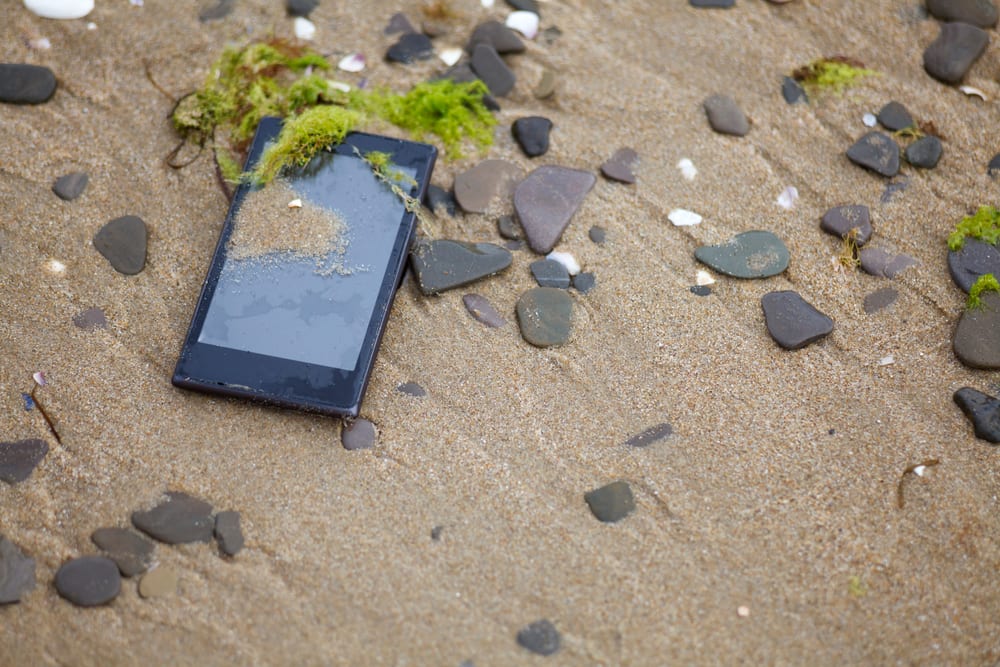
Smartphones are some of our favorite tech gadgets because we rely on them for school, work, and social activities. For many of us, they hold sensitive information, including passwords, photos, and work emails. We also use them for emergencies and even to help keep track of our children with locator apps. All these factors make losing your smartphone a stressful experience and one you want to avoid at all costs.
Despite your best efforts, you can lose your phone at any time. With a few helpful tips, you can make the most of a bad situation.
Tips for finding your phone
Since so many of us are attached to our phones, it can be tempting to think the worst before you’ve confirmed your phone is actually lost. Before going into full panic mode, take a few deep breaths and follow a few simple steps to confirm its location.
1. Call your phone
The first thing you can do is call your phone from another phone and listen carefully. Your phone could be stuck between couch cushions, under the bed, or blended in with other items on your table. It happens all the time.
2. Text yourself
Sometimes your phone is picked up by accident or confused with someone else’s phone. That’s why it’s worth texting your phone from somebody else’s device. A kind person may contact you to return it.
3. Retrace your steps
Don’t forget to retrace your steps—it can actually work. Go everywhere you’ve been with your device. Check each room and every shelf, nook, and cranny. If you’ve been out, call the places you visited or return to check before someone else picks it up.
4. Use a security app
There are also good tech options for finding your phone. For example, if you have the AT&T Secure Family app, your family can help locate your device using GPS if it’s on and location permissions are enabled. You might see that you left it at a friend’s house or at the gym. The app helps remove a lot of guesswork from your search.
Once you’ve confirmed your phone is out of your possession, it’s important to take action right away. If your phone ends up in the wrong hands, it can lead to situations you’d rather avoid.
Security risks: Why you need to act fast
Losing your phone isn’t just an inconvenience—it’s a security risk. Cybercriminals can use stolen devices to access sensitive data—including personal and financial information—leading to serious consequences.
Hackers can exploit stolen or compromised devices to gain access to your online accounts, financial assets, and even your identity. They can access saved passwords for your email, social media, and financial accounts.
A compromised phone can be used to bypass two-factor authentication (2FA) and intercept calls and messages. If the phone is unlocked, a bad actor can install malware for further exploitation.
Hackers could impersonate you to commit identity fraud. They could also use your information to blackmail or extort you or those close to you. With access to your accounts, they could steal money by bypassing authentication on your banking apps.
If your phone is lost, stolen, or compromised, taking immediate action can prevent further damage. The faster you respond, the better you can minimize the risks of financial fraud and identity theft. Follow these steps to secure your data and accounts:
- Remotely lock and erase your phone. You don’t want a stranger going through your photos, texts, financial, or other private information. If you have remote access through an app, wipe your device clean to protect your privacy.
- Change your passwords immediately. Update passwords for email, banking apps, social media, and any stored accounts. If applicable, change the master password for your password manager.
- Disable mobile payment apps. Contact your bank to block or deactivate payment methods linked to your phone. If necessary, cancel cards stored in your mobile wallet.
While these steps are helpful, they won’t bring back your phone. If you can’t recover your phone, there are still important steps to take.
Tips for after you’ve lost your phone
When your device is lost or stolen, you want to contact the right people to protect your data—the last thing you want is your information getting into the wrong hands.
- Contact the authorities. If you suspect your phone has been stolen, file a police report and explain your situation.
- Call your wireless carrier. For AT&T customers, this step is extremely easy. Sign into your myAT&T account to suspend your service. Notify the system that your phone is lost or stolen and disable it on the network as soon as possible.
- Notify your insurance provider. If you have phone insurance, check whether loss or theft is covered. If you’re an AT&T customer and have signed up for AT&T Protect Advantage device coverage, you can file a claim for your lost phone.
While these steps are essential after you lose your phone, there are also ways to minimize the chances of permanently losing it.
Preventative measures to avoid losing your phone
Losing access to your device—whether due to theft, loss, or hacking—can be more than just an inconvenience; it can put your data and identity at risk. Taking proactive steps and following tips for improving phone security now can help keep your phone and data secure.
Strengthening your phone’s security settings can prevent unauthorized access and make it easier to locate your phone if it’s lost or stolen:
- Turn on device tracking for remote access.
- Set a strong PIN or biometric lock (Face ID or fingerprint).
- Enable a SIM PIN to prevent unauthorized use of a SIM card and use other account protections to stop SIM-swapping fraud.
- Use AT&T ActiveArmor® for various security checks.
A lost or stolen phone can mean losing essential files, contacts, and account access. Regular backups ensure you can restore your data quickly:
- Use cloud backups for contacts, photos, and important files.
- Store passwords in a secure password manager, not in your phone’s notes app.
- Consider investing in phone insurance for coverage on lost or stolen phones.
For added security, a Bluetooth tracker can help you locate a misplaced phone. You can attach it directly to your phone case.
Preventing theft or accidental loss starts with mindful habits and simple precautionary measures:
- Be mindful in public places: avoid leaving your phone on tables, bar counters, or in unlocked cars.
- Label your phone with emergency contact information: a simple note on the lock screen (e.g., “If found, call [trusted contact]”) can increase your chances of recovery.
Taking these small, proactive steps can significantly reduce the chances of losing your phone or having your data compromised in a cyberattack or scam. It only takes a few minutes to enable security settings, but those minutes could save you hours of stress later.
Final thoughts: Security starts now
Hopefully, these tips will help you locate your phone, protect your information, or even avoid losing your phone altogether. In case you do lose your phone, you can have peace of mind that we’re here to get you reconnected. With our wide range of smartphones, you can find a great replacement in no time. Our phone insurance also gives you additional assurance that you’re protected every step of the way.
This article was revised by Zoya Cochran on January 5, 2026, to include guidance on preventative measures.
This article is AT&T sponsored content written by Matt Johnsen, a TechBuzz contributor. The statements in this article are his own and don’t necessarily represent the positions, strategies, or opinions of AT&T.
The new AT&T app
Related articles

Technology
10 benefits of AI
by Zoya Cochran | Jun 29, 2026
Discover the benefits of AI in everyday life. Learn how artificial intelligence helps improve decision making, saves time, and personalizes your...

Technology
What is cloud storage?
by Jobi George | Mar 5, 2026
Learn what cloud storage is, how it works, and why it matters for backing up photos, documents, and other files from your phone and computer.

Technology
Benefits of VPNs
by Zoya Cochran | Feb 17, 2026
Learn about the benefits of using a VPN, including enhanced online privacy, secure public Wi-Fi connections, and protection for personal data.
Want to stay in the loop?
Get the latest deals, product news, and more from AT&T.