Using Live Listen to boost the volume of real-world conversations
iPhone XR
Using Live Listen to boost the volume of real-world conversations
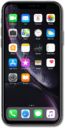
Place your iPhone or iPad in front of another object or person, and Live Listen can boost its volume, like a microphone, for connected AirPods or Beats devices
1.
From within the Control center, tap the Plus icon.
2.
Tap Add a control.
3.
Tap and search for Hearing.
4.
Tap Hearing.
5.
Tap an empty space on your screen to add the control.
6.
Select the Hearing icon.
7.
Tap the Live Listen to enable it.
8.
Use your device's Volume buttons to adjust your audio levels.
9.
To turn off Live Listen, tap the Live Listen.
10.
You've completed the steps!
