Saving split-screen app layouts
Galaxy S22 Ultra
Saving split-screen app layouts
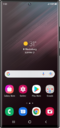
Learn how to save certain split-screen app layouts to your home screen.
1.
With your split-screen desired apps running in the background, tap the Recent apps icon.
2.
Tap the icon of one of your desired split-screen apps.
3.
Tap Open in split screen view.
4.
Select the other app you want to have as part of the split-screen.
5.
Tap the Recent apps icon.
6.
Tap the icon of the split-screen apps.
7.
Tap Add app pair.
8.
Tap Home screen.
9.
Tap the Home icon to return to your Home screen and see the shortcut for your split-screen apps.
10.
You've completed the steps!
