Connected Devices
Connected Devices
In this tutorial, you will learn how to:
• View connected devices from management website • View connected devices from mobile router
View connected devices from management website
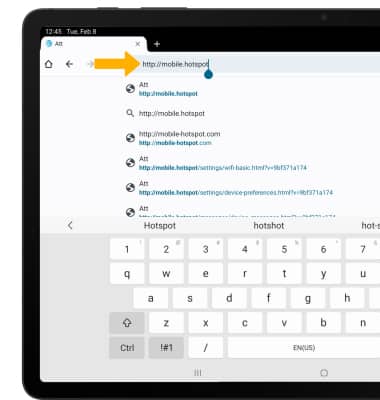
1. From your device's web browser, go to http://mobile.hotspot.
Note: Ensure that your device is connected to the Franklin A50's Wi-Fi network. For more information, please see the Connect Devices to Wi-Fi or Connect PC or Mac to Wi-Fi tutorials.
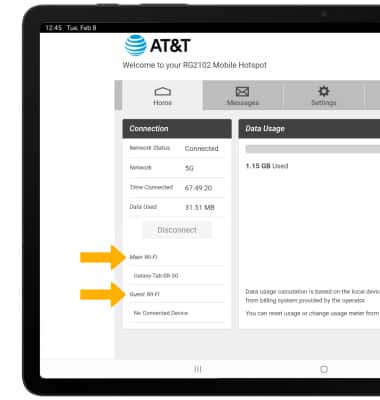
2. View the connected devices on the left side of the web page.
View connected devices from mobile router
1. From the device home screen, press the Right or Left direction buttons to highlight Devices. Press the Select button.
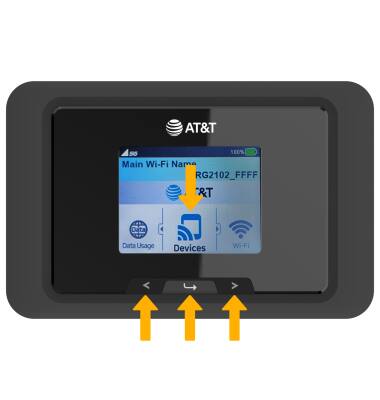
2. With Devices highlighted, press the Select button.
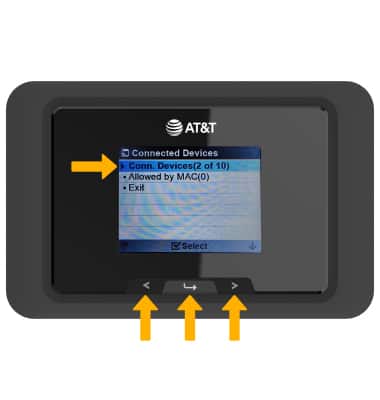
3. Press the Right or Left Direction button to highlight the desired Wi-Fi network, then press the Select button.
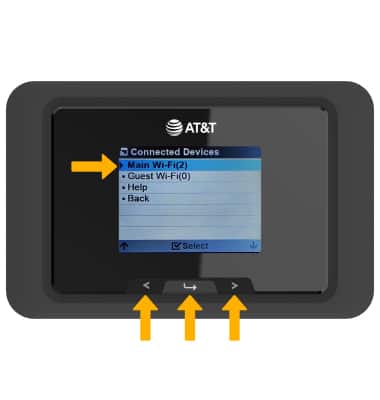
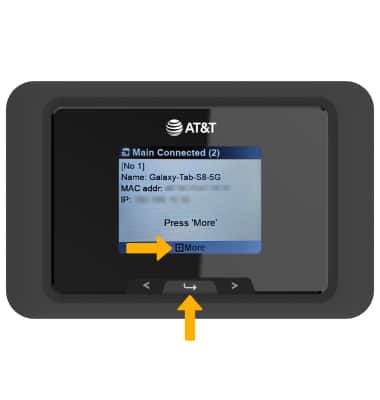
4. Connected devices will be displayed. Press the Select button to view more connected devices.