Access Downloaded Files
XP5plus 5G (X530)
Access Downloaded Files
Access files downloaded from a web browser, email, and messages.
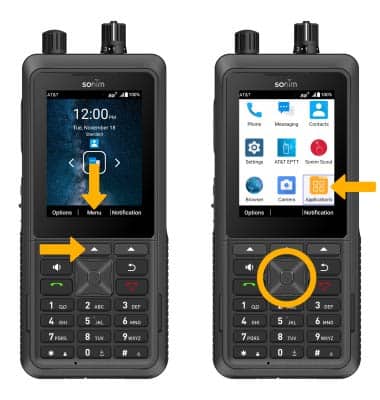
1. From the home screen, press the Center Dynamic key to access the Menu. Press the navigation keys to highlight the Applications folder. Press the Select button to select.
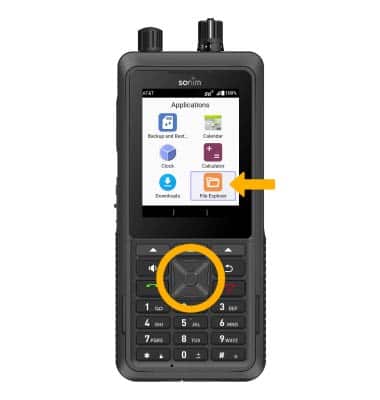
2. Press the navigation keys to highlight File Explorer, then press the Select button.
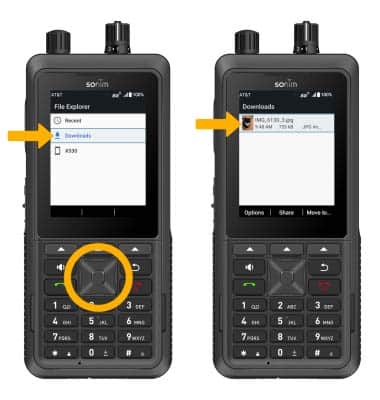
3. Use the down navigation key to highlight Downloads, then press the Select button. Downloaded files will be displayed.