
 To access Voicemail, you must have already
 From the clock screen, swipe up from the bottom of the screen to access the Apps tray then select the  Phone app.
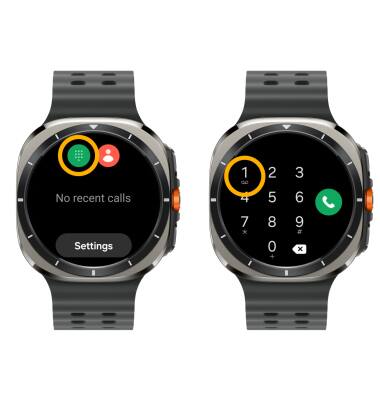
Phone app. ACCESS: Select the Keypad icon, then select and hold the 1 key.
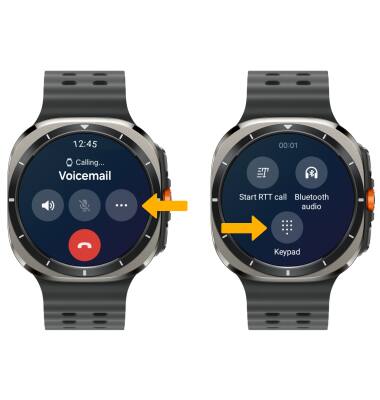
LISTEN: Select the Menu icon, then select Keypad.
Enter your current voicemail password, then follow the prompts to check voicemail.
Note: View Access AT&T Basic Voicemail for tips to manage your voicemail. Go to Troubleshoot Voicemail for solutions to common voicemail problems.
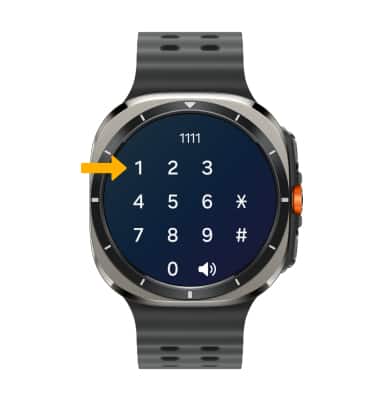
Enter your current voicemail password, then follow the prompts to check voicemail.
Note: View Access AT&T Basic Voicemail for tips to manage your voicemail. Go to Troubleshoot Voicemail for solutions to common voicemail problems.