- ACCESS THE KEYBOARD: Select a Text entry field.
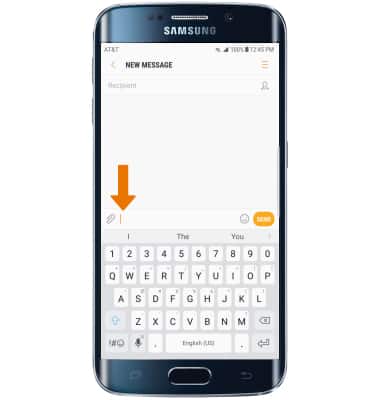
ACCESS SYMBOLS & NUMBERS: Select the Symbols key. USE SPEECH-TO-TEXT: Select the Customizable key and begin speaking your desired message. CAPITALIZE TEXT: Select the Shift key to capitalize the next letter. Double-tap the Shift key to enable or disable caps lock.
Note: The customizable key appears as the Microphone key upon first access and may change appearance based on the feature selected.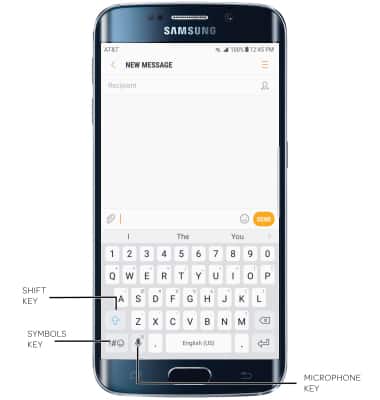
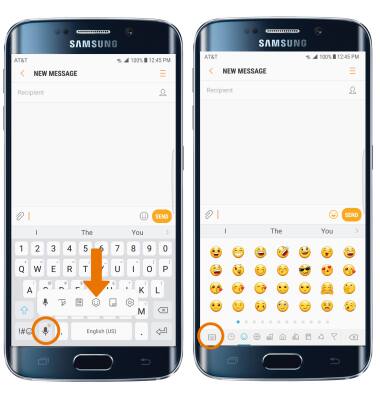
- ACCESS EMOJIS: Select and hold the Customizable key. Select the Emojis key. To return to the alphabet, select the Keyboard key.
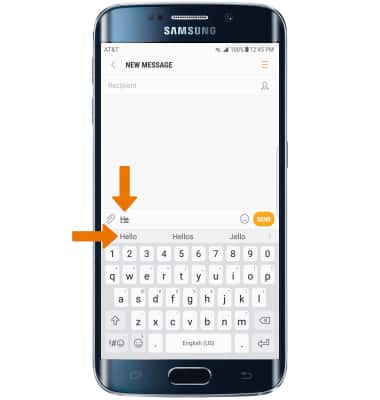
- AUTO-COMPLETE SUGGESTIONS: Begin typing the desired word, then select the desired suggestion.
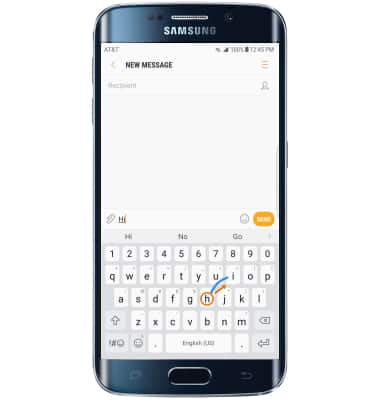
- SWYPE: Select and drag across each letter of the desired word without removing the finger from the screen.
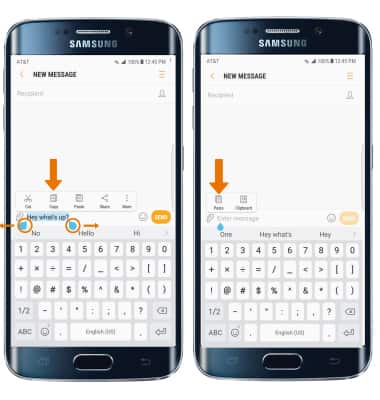
- COPY & PASTE TEXT: Select and hold the desired text. Select and drag the Text selection handles to highlight all the desired text, then select Copy. In the desired pasting location, select and hold the desired text field to place the cursor. Select Paste.
- ONE-HANDED OPERATION: Select and hold the Customizable key, then select the One-handed operation key.
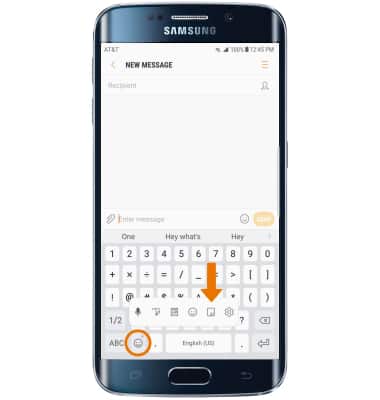
- ACCESS KEYBOARD SETTINGS: Select and hold the Customizable key, then select the Settings key.
Note: To access additional keyboard settings, drag down from the notification bar then select Settings > General management > Language and input > Virtual keyboard > Samsung keyboard.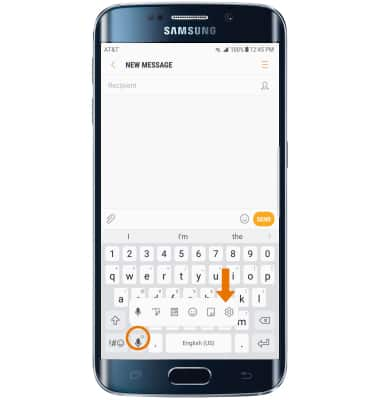
Keyboard & Typing
Samsung Galaxy S6 edge+ (G928A)
Keyboard & Typing
Navigate your keyboard, copy and paste text, use one-handed operation, and access keyboard settings.
INSTRUCTIONS & INFO