- From the home screen, tap the Phone icon.

- Tap the Visual Voicemail icon.
Note: Alternately, you can set up voicemail by pressing and holding the number 1 key.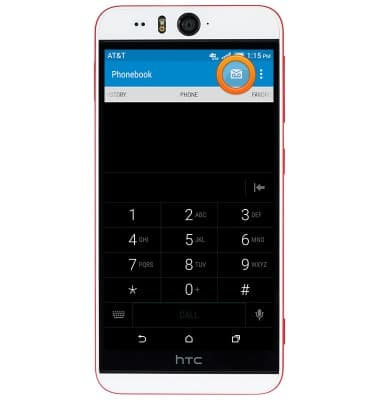
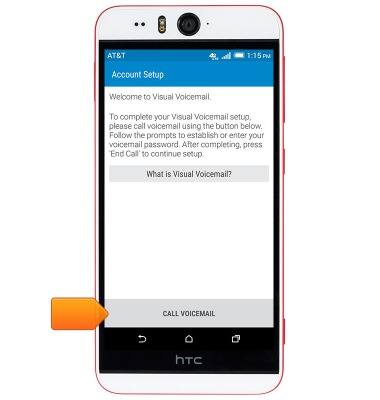
- Tap CALL VOICEMAIL.
- Enter the voicemail password, then tap END CALL.
Note: If you are a new customer and have not established a voicemail box, you will be prompted to set up your voicemail and choose a password and greeting. If you have forgotten your existing voicemail password, you will not be able to access Voicemail until you reset your voicemail password.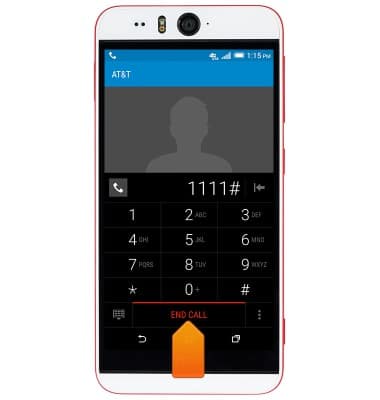
- Tap the Password field.
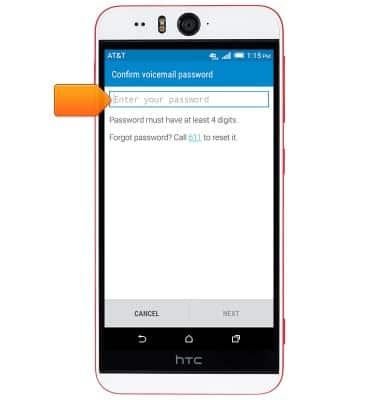
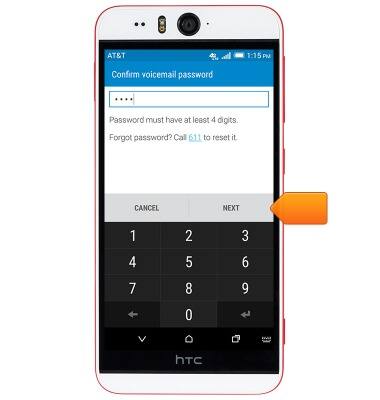
- Enter your voicemail password, then tap NEXT.
- Tap FINISH.
Note: To set up voicemail greetings your callers will hear, tap 'Setup your personal greeting'.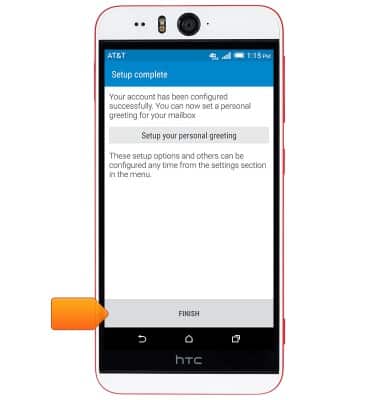
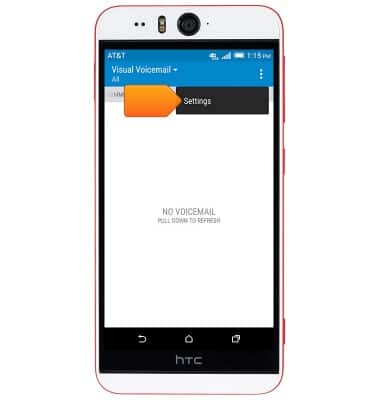
- To enable Voicemail-to-Text transcription, tap the Menu icon.
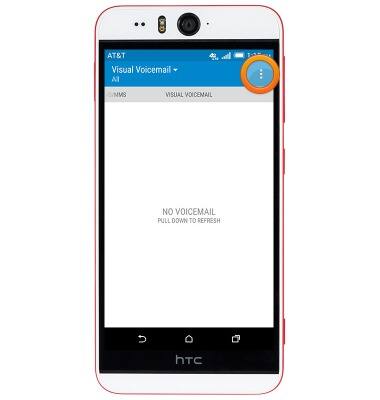
- Tap Settings.
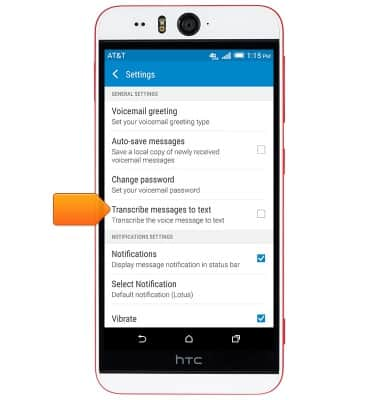
- Tap the 'Transcribe messages to text' checkbox to toggle on/off.
- Tap ACCEPT to turn on the Voicemail to text feature.
Note: View Access Voicemail for tips to manage voicemail. Go to Troubleshoot Voicemail for solutions to common voicemail problems.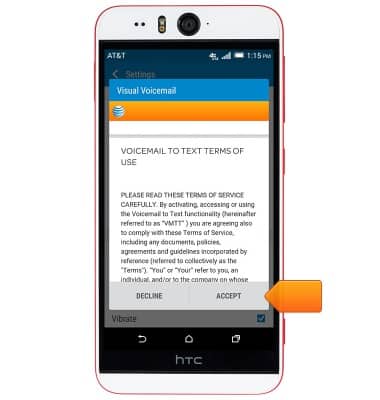
Set up voicemail
HTC Desire EYE (0PFH100)
Set up voicemail
Set up voicemail on your device.
INSTRUCTIONS & INFO