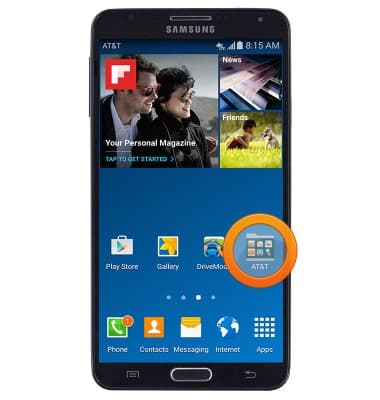
- To manage your applications, from the home screen, swipe to then tap the AT&T folder.
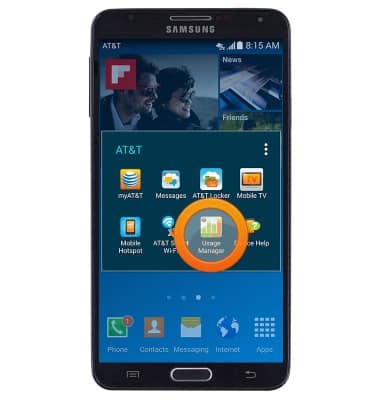
- Tap Usage Manager.
- Tap the APPS tab.
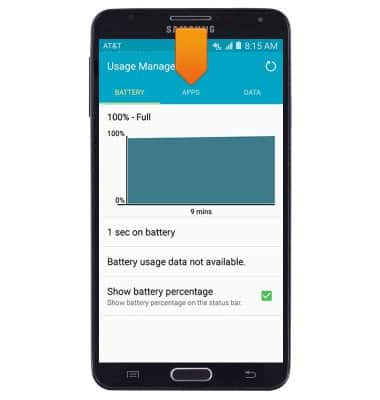
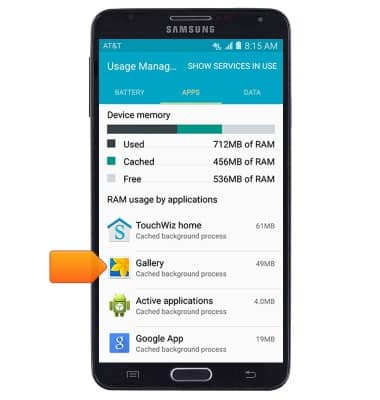
- Running applications and services will display. Tap to switch between CACHED PROCESSS and SERVICES IN USE.
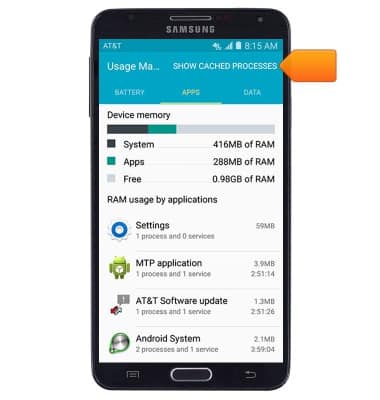
- To stop a running app or service, scroll to then tap the desired app or service.
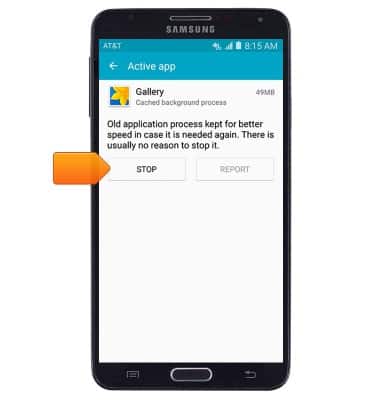
- Tap STOP.
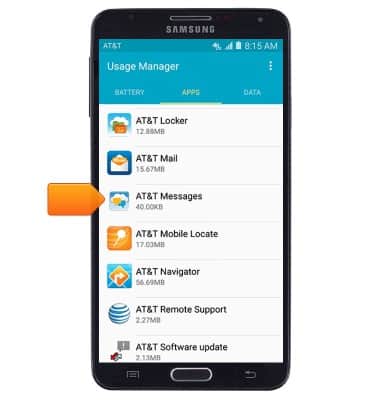
- To clear an app's cache, from the APPS tab, swipe left.
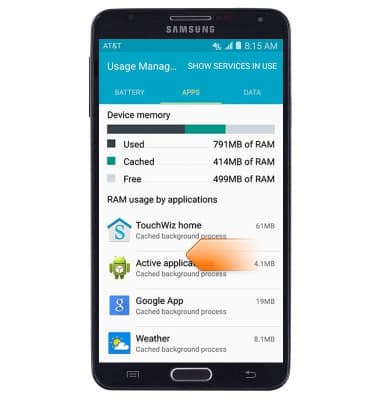
- Scroll to then tap the desired app.
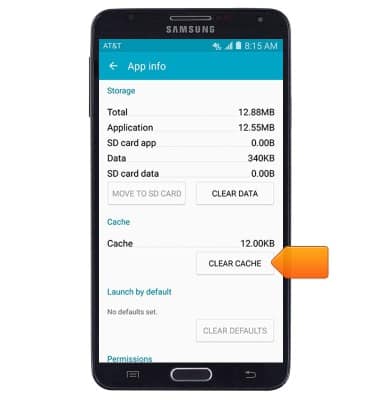
- Scroll to then tap CLEAR CACHE.
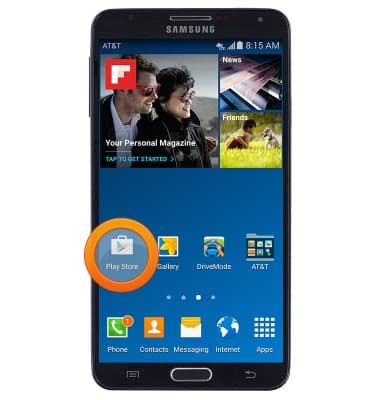
- To update an app, from the home screen, tap Play Store.
- Tap the Play Store tab.
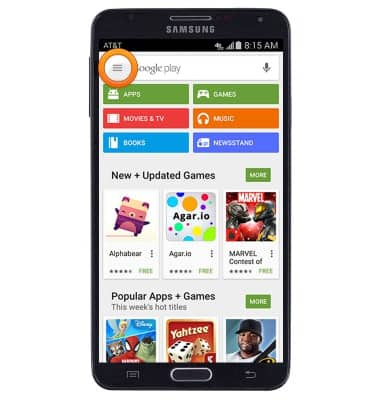
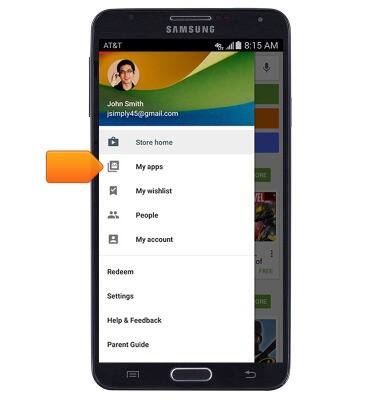
- Tap My apps.
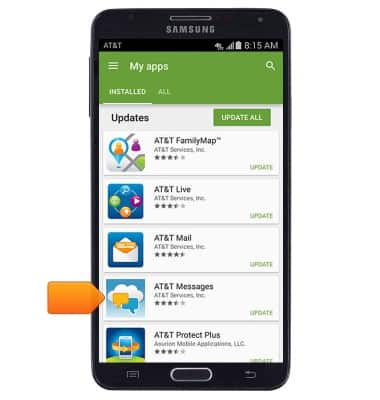
- Scroll to then tap the desired app listed beneath Updates.
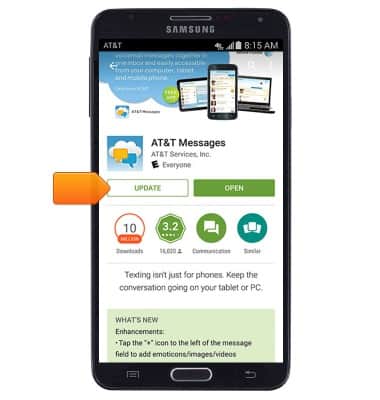
- Tap UPDATE.
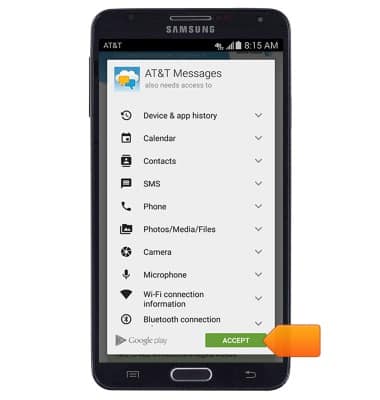
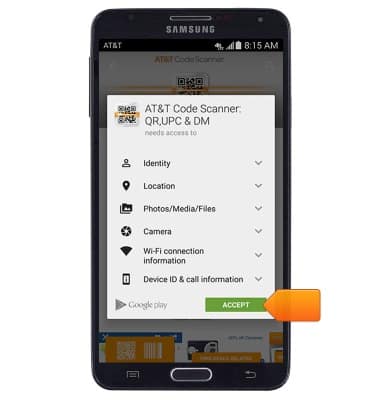
- If prompted, tap ACCEPT.
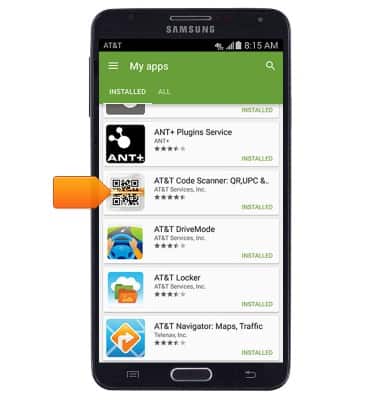
- To uninstall an app, from the 'My apps' page, scroll to then tap the desired app.
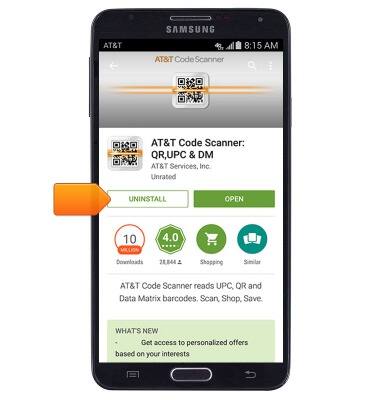
- Tap UNINSTALL.
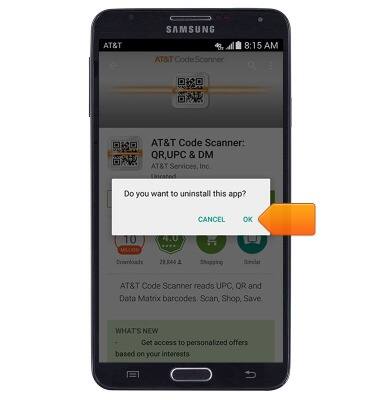
- Tap OK.
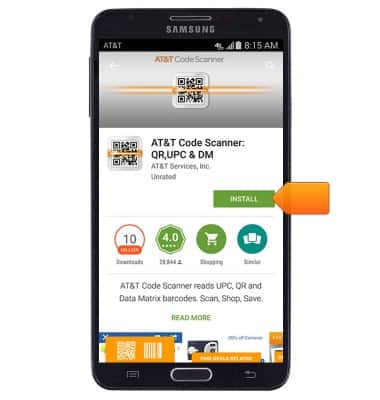
- To reinstall the app, tap INSTALL.
- Tap ACCEPT.
App troubleshooting
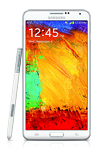
Samsung Galaxy Note 3 (N900A)
App troubleshooting
Use application manager and usage manager to improve your app and device performance.
INSTRUCTIONS & INFO