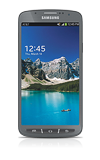
- After drawing the incorrect unlock pattern five times, Pattern Lock reset options will appear. You may access the device using one of these options once the Timer reaches 0.
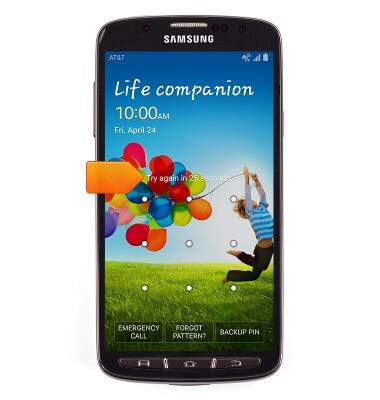
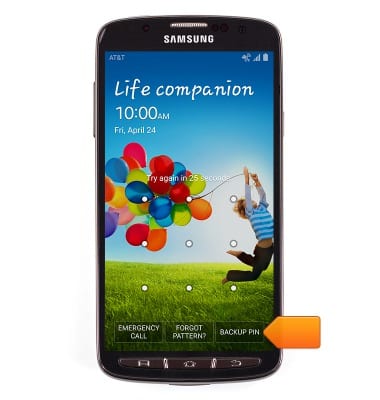
- To access the device using your backup PIN, tap BACKUP PIN.
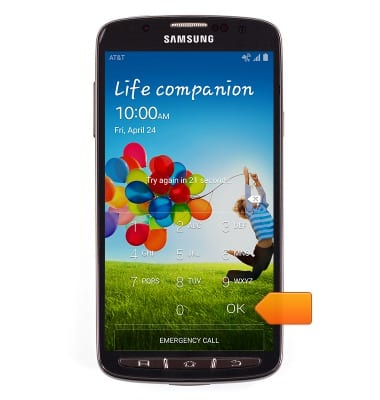
- Enter the established backup PIN, then tap OK.
- To access the device using your Google account information, tap 'FORGOT PATTERN?'.
Note: The device must already be associated with a Google account for the 'UNLOCK VIA GOOGLE' option to display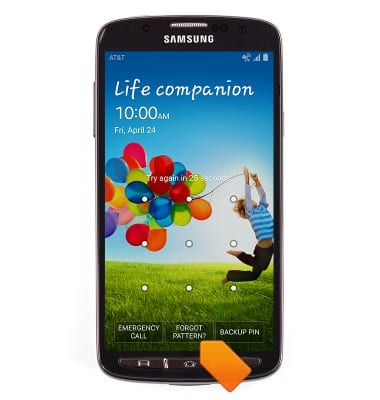
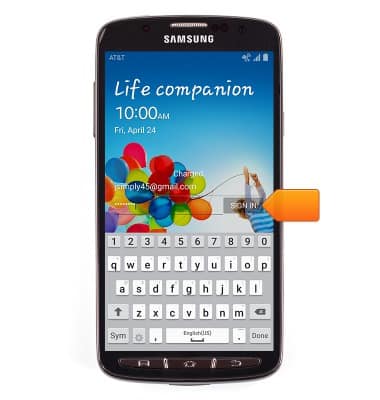
- Enter the required email address and password, then tap SIGN IN.
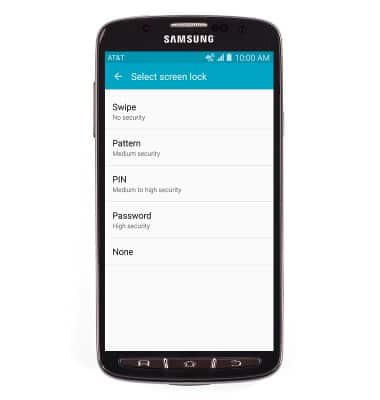
- The lock screen has been reset. Tap the desired option then follow on-screen prompts to set up a new screen lock.
Reset pattern lock
Samsung Galaxy S4 Active (I537)
Reset pattern lock
Reset a forgotten pattern lock.
INSTRUCTIONS & INFO