- From the home screen, select the Phone app.
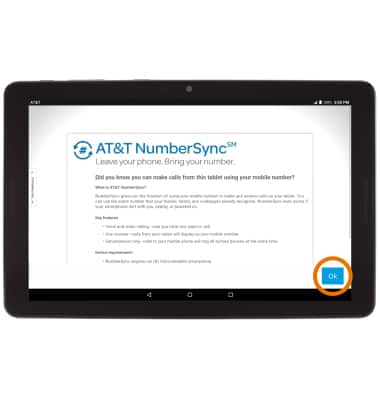
Note: Certain restrictions, requirements or limitations may apply. For more details, visit https://www.att.com/shop/wireless/features/numbersync.html. Visit Learn how to use NumberSync for Android tablets for more information.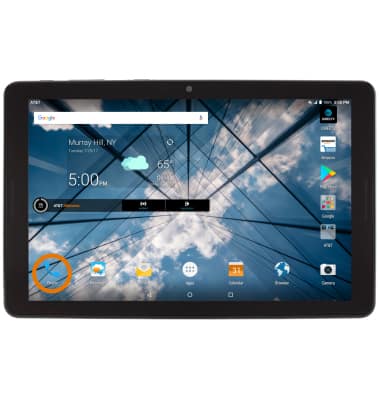
- Select Ok.
- Enter the desired User ID and Password, then select Continue.
Note: A text message will be sent to the number linked with your User ID. Reply with the provided code word to complete the log in process. Visit Set up NumberSync for Android tablets for details.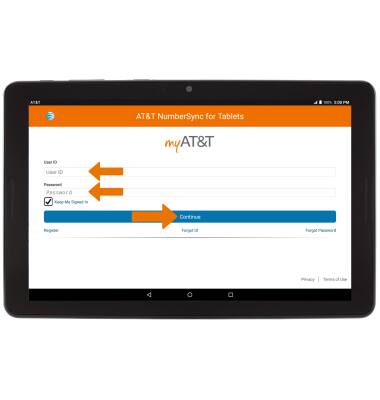
- Enter your desired Emergency 911 Address information, then select Verify Address.
Note: Select the address to verify your address.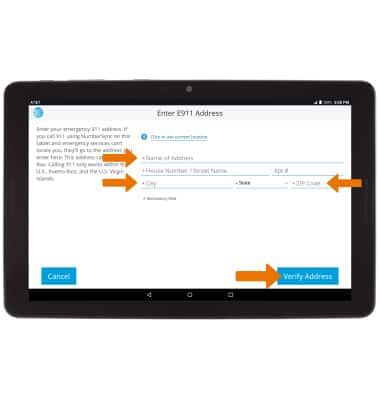
- Select OK.

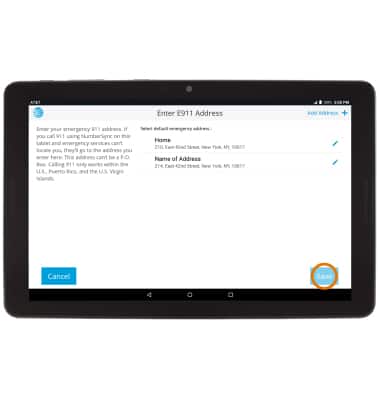
- Select Save to continue.
- Enter the desired device name, then select Complete Setup.
Note: For information on how to make and receive calls from your tablet, see the Make & Receive a Call and Make & Receive an AT&T Video Call tutorials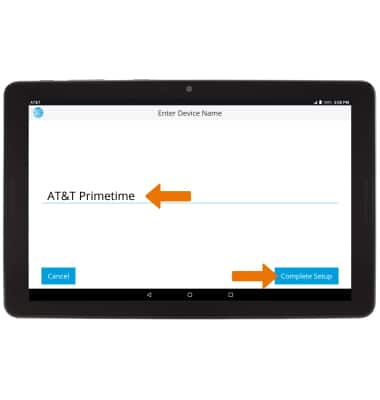
AT&T NumberSync
AT&T Primetime (K92)
AT&T NumberSync
Use one smartphone number across multiple devices to send and receive texts, make and receive calls, and more.
INSTRUCTIONS & INFO