Apple iPhone XS Max Device Help & How-To Guides
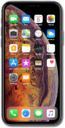
What would you like to learn about your device?
Trending iPhone XS Max topics
Backing up iPhone using iCloud
Your device can automatically back up your data - including contacts, photos, videos, documents and more - to iCloud. Regularly backing up your device to iCloud will allow you to easily restore your data onto a new device.
ExploreTurning data roaming on and off
When traveling internationally, you may want to turn data roaming on and off to conserve data and minimize unwanted fees.
ExploreResetting network settings
If you are having trouble connecting to the Internet you may need to reset your network connections. Resetting your network connections will disconnect any Bluetooth devices connected to your device and disconnect your device from any Wi-Fi networks it is connected to.
ExploreDownloading an AT&T eSIM after device setup
Familiarize yourself with the steps to take to activate your AT&T Cellular Plan with an eSIM if the initial device setup steps have already been completed.
Explore