Samsung Galaxy Z Fold3 5G Device Help & How-To Guides
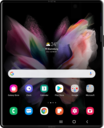
What would you like to learn about your device?
Trending Galaxy Z Fold3 5G topics
Setting your volume levels with the volume panel
Learn how to adjust the volume of your device.
ExploreTurning Do Not Disturb on or off
Do Not Disturb (DND) allows users to silence incoming calls and notifications temporarily, sending them directly to voicemail or marking them as missed.
ExploreFinding your device's IMEI number
Discover where to find your device's IMEI in the settings section of your device. In some instances, your IMEI number is also your Device ID number.
Explore