Enjoy the AT&T Device Help App (for Apple)
Use AT&T Device Help to answer your "how to" questions and keep your device running smoothly.

0:00
Learn about the AT&T Device Help app
The AT&T Device Help app is compatible with iPhones running iOS 14 or later and is available for download from the App Store.
AT&T Device Help is an app tailored to your device that helps you learn to use the latest features as well as monitor your device’s performance. With the app, you can:
AT&T Device Help is an app tailored to your device that helps you learn to use the latest features as well as monitor your device’s performance. With the app, you can:
- Run a device health checkup
- Respond to alerts and manage settings for battery, storage, and connectivity issues
- View step-by-step tutorials across a variety of help topics ranging from setup, getting started, new features, and how to prepare for a trade-in
- Easily access account and other device-support sites
Use the app
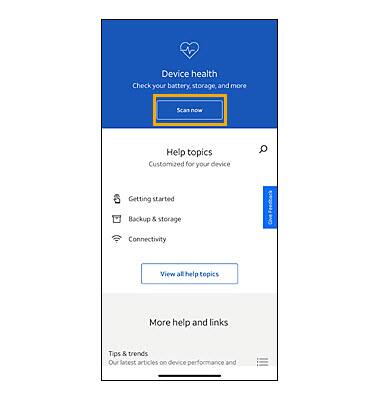
Device health scan
The device health diagnostic tool gauges performance and offers recommended actions to support daily use.
Help topics
Access a variety of how-to tutorials covering multiple topics that are customized for your device.
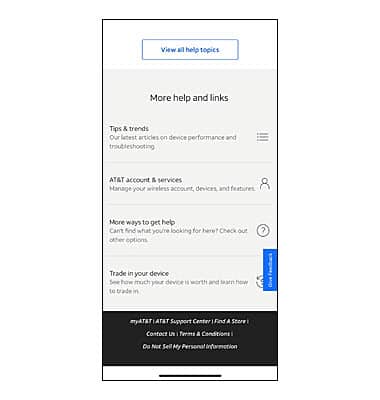
Check out Tips & trends to view in-depth and up-to-date information on trendy topics like Ads, Pop-ups, and Notifications or Cleaning Your Device.
AT&T account & services provides quick access to myAT&T so you can manage your account, view and pay bills, replace or activate devices, and much more.
More help and links provides access to att.com for help with troubleshooting, network/service outages, and customer forums.
Trade in your device provides the a link to check your device value and steps needed to prepare your device for a trade-in.
The device health diagnostic tool gauges performance and offers recommended actions to support daily use.
- Select Scan now to run the device health diagnostic tool.
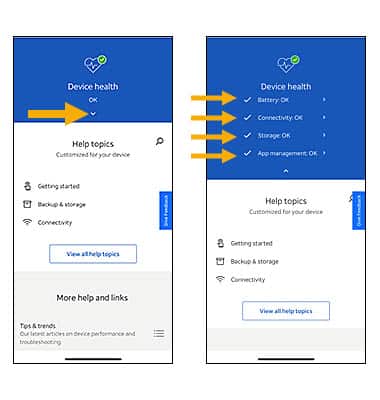
- Select the drop-down icon to view device health alert information.
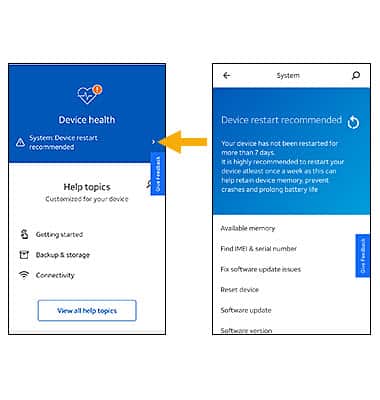
- If an alert is present, select the alert to see what AT&T Device Help can do to help resolve the issue.
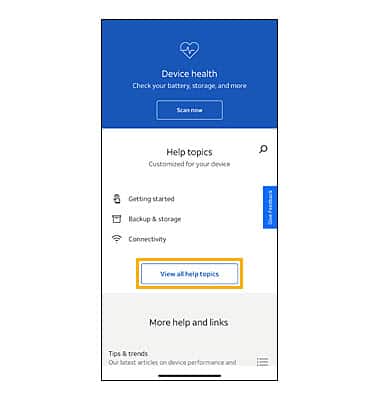
Help topics
Access a variety of how-to tutorials covering multiple topics that are customized for your device.
- From the Device Help main screen, select View all help topics.
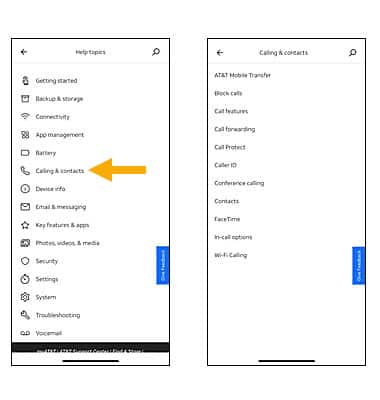
- Select the desired topic category, then select the desired tutorial topic.
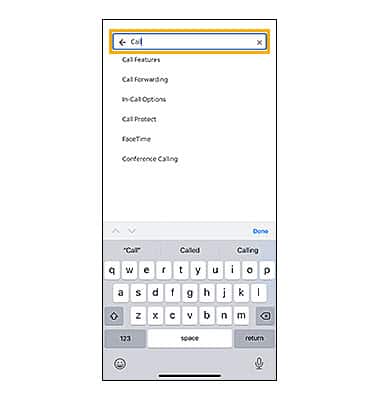
- Or from the Device Help main screen, select the Search icon
 .
. - Select the Search bar, enter the topic or function you are curious about, then select the desired search result.
Check out Tips & trends to view in-depth and up-to-date information on trendy topics like Ads, Pop-ups, and Notifications or Cleaning Your Device.
AT&T account & services provides quick access to myAT&T so you can manage your account, view and pay bills, replace or activate devices, and much more.
More help and links provides access to att.com for help with troubleshooting, network/service outages, and customer forums.
Trade in your device provides the a link to check your device value and steps needed to prepare your device for a trade-in.
Last updated: February 16, 2023