Customize your accessory
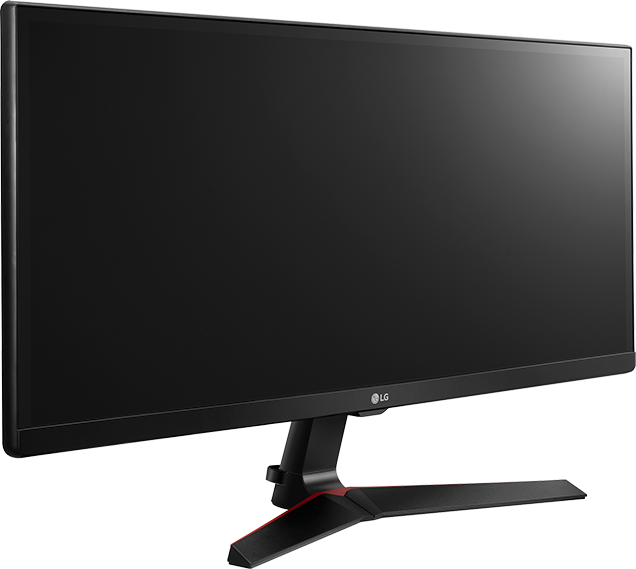
LG UltraWide Full HD IPS Gaming Monitor 29-inch
This LG UltraWide Full HD IPS Gaming Monitor 29-inch is no longer available.
Overview
UltraWide® Gaming with 1ms Motion Blur Reduction
The Full HD UltraWide 21:9 aspect ratio makes games more immersive. 1ms Motion Blur Reduction allows gamers to enjoy the precision and accuracy needed to play at a very high level. With a response time that is virtually 1ms, blurring and ghosting are reduced to make the action smoother and gaming more precise.
AMD FreeSync™* Technology
FreeSync reduces the tearing and stuttering that occur between a graphic card’s frame rate and a monitor’s refresh rate. With FreeSync, gamers can experience seamless, fluid movement throughout games without the need to upgrade your graphics card.
Dynamic Action Sync
Gamers can experience optimized, fast-pace gaming with Dynamic Action Sync. Dynamic Action Sync is a feature that minimizes input lag so the game play in RTS games is more responsive.
Black Stabilizer
Keep visibility even in dark scenes. LG's Black Stabilizer senses dark scenes and helps make it brighter so that you can find the enemies hiding and waiting to attack your player in the dark.
Game Mode
Set your game mode to optimize and customize your gaming conditions. There are 3 gamer modes, 2 First-Person-Shooter modes and even a RTS pre-set mode so you can choose the best mode for you and the game you're playing.
FEATURES
- Screen Size: 29"
- Panel Type: IPS
- Color Gamut (CIE1931): sRBG over 99%
- Color Depth(Number of Colors): 6bit+A-FRC, 16.7M colors
- Pixel Pitch(mm): 0.2628x0.2628
- Response Time: 5ms(High)
- Refresh Rate: 75Hz
- Aspect Ratio: 21:9
- Resolution: 2560x1080
- Brightness: 250(Typ), 200(Min)
- Contrast Ratio: 1000:1(typ.)
- Viewing Angle: 178 / 178 (CR≥10)
- Surface Treatment: Anti glare, 3H
INPUT/OUTPUT
- HDMI: Yes (ver1.4)
- DisplayPort: Yes (ver1.2)
- USB-C: Yes (DP Alt. Mode)
POWER
- Type: Adapter
- Input: 100-240Vac, 50/60Hz
SPECIAL FEATURES
- Picture Mode: Custom, Reader, Photo, Cinema, Color Weakness, FPS Game 1, FPS Game 2, RTS Game, Custom (Game)
- DDC/CI: Yes
- HDCP: Yes
- Key Lock: Yes
- Plug & Play: Yes
- Response Time Control: Yes
- Color Calibrated: Yes
- Color Weakness: Yes
- Flicker safe: Yes
- Automatic Standby: Yes
- Six Axis Control: Yes
- Smart Energy Saving: Yes
- Super Resolution+: Yes
- 4 screen split: Yes
- On Screen Control: Yes
- FreeSync: Yes
- 1ms Motion Blur Reduction: Yes
- DAS Mode: Yes
- Black Stabilizer: Yes
- Crosshair: Yes
DIMENSIONS/ WEIGHTS
- With Stand (WxHxD): 27.7" x 16.3" x 8.0"
- Without Stand (WxHxD): 27.7" x 12.9" x 2.5"
- Shipping Dimensions (WxHxD): 32.0" x 15.9" x 5.9"
- With Stand Weight: 12.1 lbs
- Without Stand Weight: 11 lbs
- Shipping Weight: 16.8 lbs
CABINET / ACCESSORIES
- Wall Mount Size (mm): 75x75
- Base Detchable: Yes
- Tilt(Angle): -5° (front) ~ 20° (rear)
- Power Cord: Yes
- HDMI: Yes (ver1.4)
STANDARD
- UL(cUL): Yes
- TUV-Type: Yes
- FCC-B, CE: Yes
- EPA: 7.0 Yes
- Erp: Yes
- Windows: Yes (win 10)
- DisplayPort: Yes (ver1.2)
Key features
Feature & Specs
WARNING: Cancer and reproductive harm – www.P65Warnings.ca.gov

