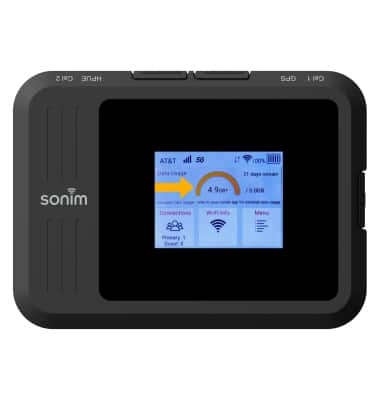
Dial data# (3282#) on your mobile phone to check your current bill cycle's data usage.
In this tutorial, you will learn how to:
• Enable data usage on management website
• View data usage on the device
Enable data usage on management website
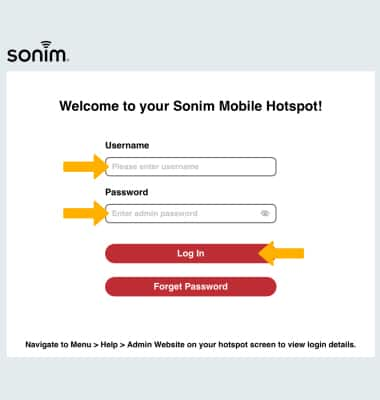
1. From your device's web browser, go to http://sonim.mobilehotspot. Enter your Username and Password, then click Log In.
Note: Ensure that your device is connected to the Sonim MegaConnect's Wi-Fi network. For more information, please visit the Connect Devices to Wi-Fi or Connect PC or Mac to Wi-Fi tutorials. If this is your first time logging into the Web admin page, the default password will be displayed on the device. From the home screen, select Menu > Help > Admin Website.
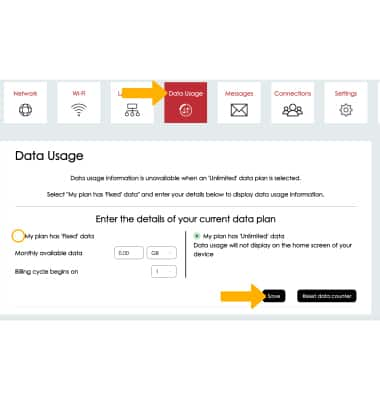
2. Click Data Usage. Click the My plan has 'fixed' data circle, then click Save.
View data usage on the device
When My plan has 'fixed' data is enabled, the data usage will be viewable on the home screen of the device.