Setting up iPad manually as a new device
Setting up iPad manually as a new device
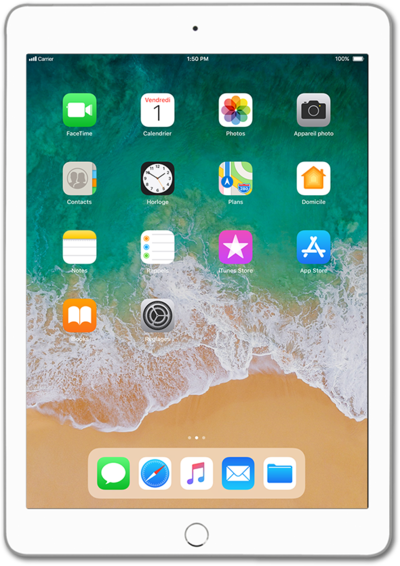
Press the Home button to get started.
Select your language.
Select your country or region.
Tap Set Up Manually.
Select a Wi-Fi network you'd like to connect to.
Wi-Fi hotspots may have security limitations. If necessary, enter a password and tap Join.
Tap Join.
Tap Continue.
Tap Set Up Touch ID Later.
iPad has fingerprint recognition called Touch ID. This allows you to unlock iPad, just by putting a finger on the Home button..
,For this tutorial, we're skipping Touch ID setup. You can enable Touch ID, but steps may vary based on what you choose. You can also adjust your Touch ID preferences later in settings.
Tap Don't Use.
Tap Passcode Options.
For this tutorial, we're skipping passcode security setup. You can enable passcode security, but steps may vary based on what you choose. You can also adjust your passcode preferences later in settings.
Tap Don't Use Passcode.
Tap Don't Use Passcode again.
Tap Don't Transfer Apps and Data.
For this tutorial, we're showing how to manually set up iPad as a new device. You can also restore content from previous accounts or devices, but steps may vary based on what you choose.
Tap the Apple ID field.
If you don't have an Apple ID account yet, tap Don't have an Apple ID or forgot it?.
Enter your Apple ID.
Tap Next.
Enter your password.
Tap Next.
You may be prompted to enter a Two Factor Authentication code before continuing. The code will be sent to one of your other Apple devices.
Tap Agree.
Review all terms and conditions before proceeding.
,If you have another Apple device signed into the same Apple ID, you may be asked to enter the passcode for that device after this step.
Tap Continue.
Tap Enable Location Services.
Enabling location services allows apps and services to use your location to provide you with a more personal experience.
,For this tutorial, we're enabling location services during setup. You can disable location services, but steps may vary based on what you choose. You can also adjust your location services preferences later in settings.
Tap Set Up Later in Settings.
iPad has a personal assistant called Siri. Siri helps with tasks, reminders, searches and more.
,For this tutorial, we're skipping Siri during setup. You can enable Siri, but steps may vary based on what you choose. You can also adjust your Siri preferences later in settings.
Tap Set Up in Settings Later again.
Screen Time is a feature that creates weekly reports based off your usage behavior. You can also use Screen Time to set up parental controls for a child's device.
,For this tutorial, we're skipping Screen Time during setup. You can enable Screen Time, but steps may vary based on what you choose. You can also adjust your Screen Time preferences later in settings.
Tap Don't Share.
Enabling app analytics helps Apple improve its products and services.
,For this tutorial, we're skipping app analytics during setup. You can enable app analytics, but steps may vary based on what you choose. You can also adjust your app analytics preferences later in settings.
Tap Continue.
For this tutorial we are using Light mode. You can switch to Dark mode to have the system use a darker color pallette for your device. Dark mode can help save battery as well.
Tap Get Started.
You've completed the steps!
