App Troubleshooting
Maven 2 (Z831)
App Troubleshooting
Use application manager to improve your app and device performance.
-
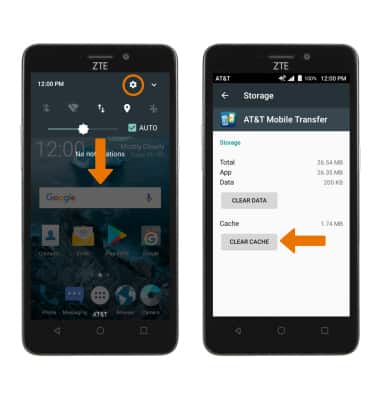
CLEAR APP CACHE: Swipe down from the Notification bar > select the Settings icon > select Apps > select the desired app > select Storage > select CLEAR CACHE.
-
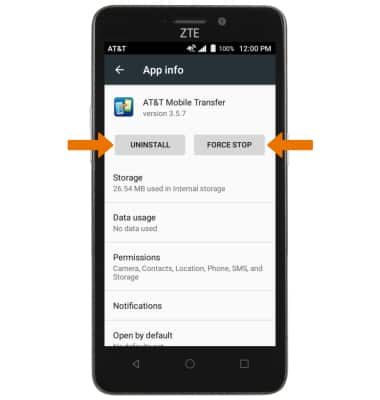
UNINSTALL/FORCE STOP AN APP: From the App info screen, select the corresponding selection.
-
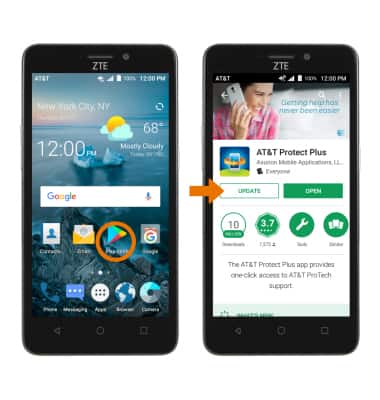
CHECK FOR APP UPDATE: To see if an app update is available, from the homescreen select the Play Store icon > select the Menu icon > My apps & games > select the desired app you would like to update > select UPDATE.
-
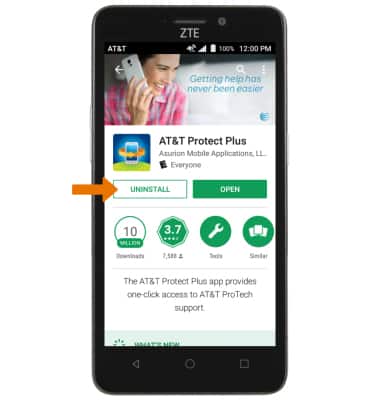
REMOVE AN APP: Select UNINSTALL. Note: You will be prompted to select OK to confirm.
-
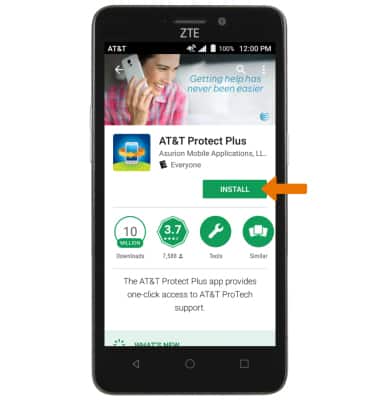
REINSTALL AN APP: Select INSTALL.