Send & Receive Messages
Send & Receive Messages
-
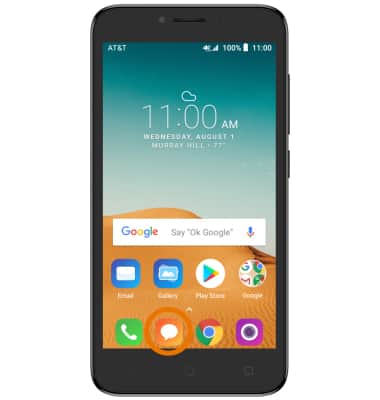
ACCESS MESSAGING: From the home screen, select the Messaging app.
-
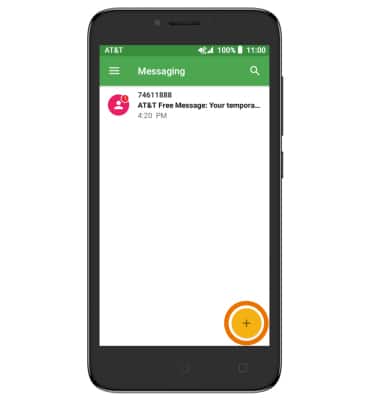
COMPOSE A MESSAGE: From the Messaging inbox, select the Add icon.
-
Enter the desired contact, then enter the desired message.
Note: To add additional recipients and create a Group Message, select the Contacts icon >desired contacts > DONE. To remove recipients, select the backspace key to delete desired contacts.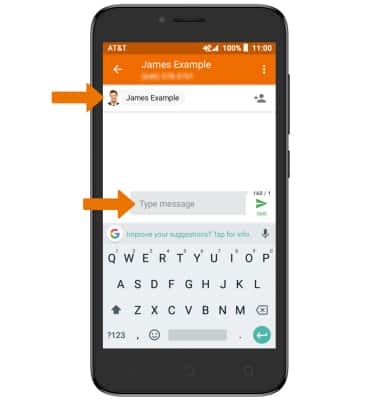
-
READ A NEW MESSAGE: When a new message is received, the New message icon will appear in the Notification bar.
Note: From the Messaging app, select the desired thread.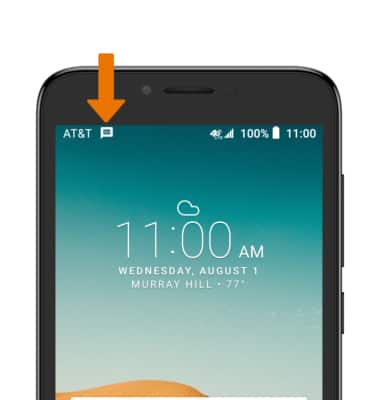
-
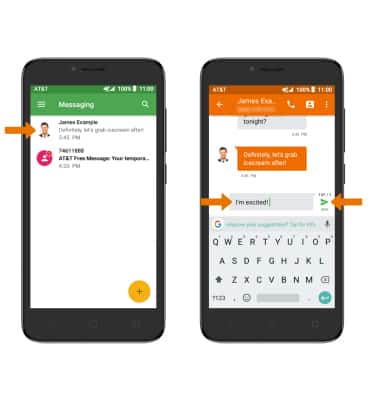
REPLY TO A MESSAGE: Select the desired message thread, enter the desired response then select the Send icon.
-
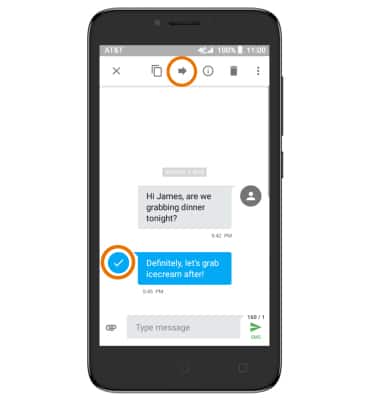
FORWARD A MESSAGE: Select and hold the desired message, then select the Forward icon.
-
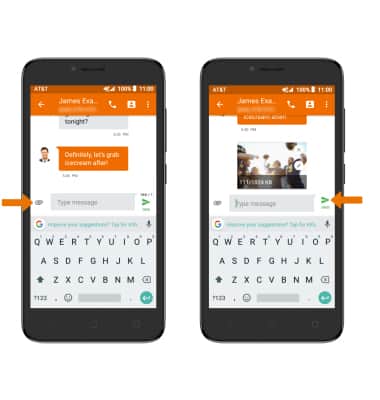
ADD AN ATTACHMENT: Select the Attach icon then follow the on-screen prompts to navigate to the desired file. When finished, select the Send icon.
-
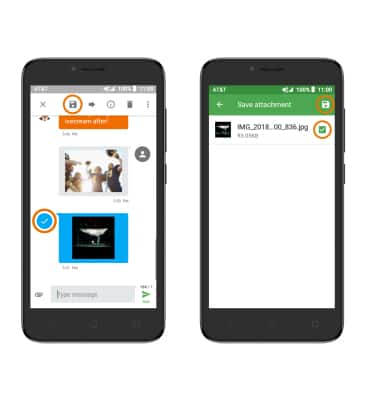
SAVE AN ATTACHMENT: Select and hold the desired attachment, then select the Save icon. Ensure the desired attachment is selected, then select the Save icon.
-
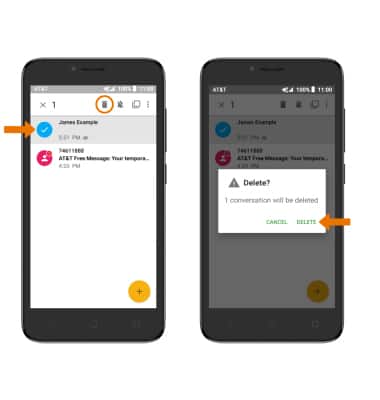
DELETE A MESSAGE OR MESSAGE THREAD: Select and hold the desired message, then select the Delete icon. Select DELETE to confirm.